
When I first started building my WordPress site three years ago, I thought internal linking was something I could manage manually. I’d write a post, recall a few related articles, and add a link or two. Simple enough — until it wasn’t.
By the time I reached 200 posts, I was completely losing track of my own content. I’d publish an article that would have been perfect to link from five older posts, but I had no idea which ones.
My internal link structure was a mess, and I was spending more time searching my own site than writing. That’s when I started researching AI internal link recommendation plugins for WordPress and everything changed.
A colleague mentioned these tools in a forum thread I almost scrolled past. Three months later, they were the most useful additions to my entire WordPress workflow. Instead of manually hunting for linking opportunities, the AI analyzes my content and surfaces relevant connections automatically. My per-article linking workflow dropped from roughly 30 minutes to under 2 minutes — once I found plugins that actually use real AI.
That last part matters more than most reviews mention. Several tools I tested were dressed-up keyword matchers with “AI-powered” slapped on the marketing page. I paid for three of them before I figured out what separated the genuine tools from the pretenders.
After spending several months testing seven AI internal link recommendation plugins across five different WordPress sites — from a 60-post hobby blog to a 1,000-post authority site — here’s what I found. I’ll break down which plugins use genuine AI versus keyword matching in disguise, which features actually move the needle for SEO, and which tool fits your specific situation and budget.
What Are AI Internal Link Recommendation Plugins for WordPress?
The term “AI-powered” gets applied to almost everything in the WordPress plugin market right now — which makes it hard to know what you’re actually getting. At their core, AI internal link recommendation plugins for WordPress analyze your site’s content and surface relevant internal links between posts and pages you’d never connect manually.
Rather than making you remember every article you’ve ever published, the plugin maps your content relationships for you. It becomes part of your broader internal link management system, handling the discovery work so you can focus on reviewing and approving the best connections.
The word “recommendation” in that description is intentional and important. The best plugins suggest links for you to review — they don’t silently inject them throughout your site. That distinction matters because AI isn’t infallible. Reviewing suggestions before they go live protects your content quality, user experience, and SEO integrity.
How AI Internal Linking Differs from Traditional Automatic Linking
Understanding this distinction will save you money and frustration. I’ve tested both approaches on live sites, and the performance gap is significant.
Traditional automatic linking plugins work on simple keyword matching. You tell the plugin “whenever you see the phrase ‘best camera,’ link it to this specific URL,” and it scans your content for those exact words. It sounds efficient on paper. In practice, those links often felt forced. The plugin would insert links where the context didn’t actually fit, and miss obvious opportunities when the exact phrase wasn’t present.
AI-powered plugins operate on an entirely different model. They use semantic analysis and natural language processing to understand the meaning and topic relationships within your content — not just the surface words. A travel blog example from my own site shows the difference clearly.
I have an article about packing light for international trips and another about choosing the right travel backpack. These articles share very few exact keyword phrases, but they’re clearly related topics. My old keyword-matching plugin never connected them.
When I switched to an AI solution, it immediately recognized the topical relationship and suggested linking them together. The AI understood that someone reading about packing light would benefit from learning about travel backpacks — even though the word “backpack” only appeared once in the packing article.
That’s semantic understanding in practice the AI processes meaning and context the way a knowledgeable content editor would after reading your entire site, not the way a keyword scanner processes character strings.
The Difference Between Keyword Matching and True AI Recommendations
Another concrete example makes this clearer.
I have an article on my site about “best budget laptops for students.” Using a keyword-matching plugin, I set it to link the phrase “budget laptops” to that URL. The plugin found that phrase in an article I wrote about “how to build a home office on a budget” and automatically inserted the link. Technically the keywords matched, but the context was completely wrong. That article was about budget office furniture and desk setups — not laptops for students. The link made no sense to readers and looked spammy.
When I switched to an AI plugin, it didn’t make that mistake. The AI read the context around potential links and understood that even though the keywords appeared, the topics didn’t actually relate. It didn’t suggest that link.
Instead, the AI found a different article I wrote about “essential tech gear for college” and suggested linking there. A perfect contextual fit that simple keyword matching would have missed entirely.
That distinction — content relevance versus keyword presence — is the core of what separates genuine AI from keyword matching dressed up in AI marketing language. True AI uses machine learning models that evaluate multiple factors simultaneously: topic similarity, content depth, how well the linked page addresses likely reader questions, and even the optimal position within an article for a link.
Link relevance scoring at this level produces suggestions that a human editor would actually make — not just technically valid connections that happen to share a keyword.
The AI uses natural language processing models trained on large corpora of text to map how language and topics interrelate. This is the same underlying approach that allows Google to understand that a search for “fix slow website” and “improve page load time” are seeking the same information.
Why Internal Linking Matters for Your WordPress SEO
Most WordPress site owners underestimate how much internal linking affects their SEO — I did for years. I treated internal links as a reader retention tool and nothing more. What I didn’t understand is that a well-planned internal linking strategy serves three distinct SEO functions — all of which I’ve verified through changes on my own sites.
How Internal Links Distribute Page Authority Across Your Site
Page authority — what SEO professionals also call link equity — is the foundation of this concept. When external sites link to your pages, those pages accumulate authority. Your internal links are the mechanism that distributes that authority across the rest of your site — and that distribution is what determines how well your non-viral, non-linked content can rank.
Think of it like a network of pipes. External backlinks pour water into certain pages. Your internal links distribute that water throughout the rest of your site. Every page benefits from the flow.
I saw this clearly on my photography blog. I have one article about camera settings that gets a lot of backlinks from other photography sites. It ranks very well. When I started strategically linking from that high-authority page to newer related articles, those newer articles began ranking better too. The authority flowed through the internal links.
Random link volume doesn’t work, though. The links have to make topical and contextual sense, because Google’s systems evaluate whether internal links reflect genuine content relationships or manufactured link structures. That’s where an AI internal link recommendation plugin for WordPress earns its value — by identifying contextually appropriate opportunities rather than brute-forcing connections.
The authority also flows through your WordPress site architecture more broadly. When your internal link structure aligns with your content hierarchy — pillar pages at the top, cluster posts supporting them — the entire site benefits from better crawl efficiency and crawl budget utilization. Google’s crawlers can navigate more efficiently, discovering and indexing more pages per crawl session.
Why Manual Internal Linking Doesn’t Scale
Here’s the honest reason I abandoned manual internal linking. When I had 50 blog posts, I could roughly keep track of my content. At 100 posts, it got harder. I’d forget about older articles that would have been perfect to link. At 200 posts, manual internal linking became completely unmanageable.
The scale problem is real. If you have 500 posts and publish one new article, you’ve potentially got 500 existing posts that could link to it, plus the new post could link out to dozens of articles you’ve already written. There is no practical way to evaluate all of that manually every time you publish.
WordPress automation tools like AI linking plugins aren’t a convenience at this scale — they’re necessary infrastructure for maintaining a coherent internal link structure. Automated SEO solutions of this kind handle the content discovery layer automatically, scanning your full site and finding relationships you’d miss manually.
I saw this firsthand when I installed my first AI linking plugin. It immediately found 47 places in my existing content where I should have been linking to my cornerstone articles but wasn’t. Those were missed opportunities that had been hurting my SEO, and I had no idea until the AI surfaced them.
The AI also handles content discovery across your entire post library — it references every article you’ve ever published each time you write something new. That kind of comprehensive recall isn’t humanly possible at volume.
How AI Determines Which Pages to Link Together
Understanding how this works technically helps you cut through the marketing noise when evaluating plugins — so here’s a practical explanation without unnecessary jargon.
Real AI internal linking relies on semantic analysis — a technology that processes the actual meaning and topic structure of your content, including synonyms, related concepts, and contextual relationships, not just the literal words present.
I tested this by writing two articles on my tech blog. One was about “smartphone battery life tips” and another about “making your phone charge last longer.” Notice these articles cover the exact same topic but use completely different words. A keyword-matching plugin saw zero connection because the phrases don’t overlap. The AI plugin immediately recognized them as related topics and suggested linking them. It understood that “battery life” and “charge last longer” refer to the same concept even though the exact words differ.
The best machine learning plugins in this category use link relevance scoring to evaluate dozens of contextual factors simultaneously — topic similarity, content depth, reader intent alignment, and even the optimal position within an article for a link. This is the same underlying approach that allows Google to understand that semantically related searches are seeking the same information.
Some plugins even disclose which AI technology they use — mentioning OpenAI’s GPT models or other named systems. That transparency is usually a good sign they’re using genuine artificial intelligence rather than calling their keyword-matching algorithm “AI” for marketing purposes.
How to Evaluate AI Internal Linking Plugins: 7 Key Criteria
Not all evaluation criteria for AI internal link recommendation plugins for WordPress are equal — and I learned that the hard way. One plugin I tested had a polished dashboard and smooth UI animations but generated mostly irrelevant suggestions. Another was inexpensive but slowed my WordPress editor to the point where editing was painful.
After testing seven plugins over several months, I built an evaluation framework around seven criteria. If you’re choosing a plugin yourself, these are the factors that actually separate the useful tools from the overhyped ones.
Criterion 1: AI Quality : Semantic Understanding vs. Keyword Matching
AI quality is the hardest criterion to evaluate before purchase — and the most consequential if you get it wrong.
My testing method: I look at whether the plugin requires me to manually define keywords or if it automatically understands my content. If a plugin makes me create a list of keywords and specify which URL each keyword should link to, that’s keyword matching, not AI. Real AI doesn’t need that manual input.
I also publish a test article with varied vocabulary about a topic I’ve covered before using different words. Does the AI recognize the topical similarity despite different wording? If yes, it’s using semantic analysis. If it only catches exact keyword matches, it’s not real AI.
The best plugins I tested use natural language processing models similar to what Google uses to understand content. They recognize that “automobile,” “car,” and “vehicle” all refer to the same thing. They understand that an article about “improving page speed” relates to content about “website performance optimization” even without shared keywords.
Criterion 2: Automation Level : Real-Time vs. Bulk vs. Manual Control
Automation level determines how the plugin fits into your actual workflow — and the right level depends entirely on how you work.
Real-time AI suggestions work while you’re writing in the WordPress editor. As you type, the plugin analyzes your content and shows linking opportunities in a sidebar or panel. You can insert links on the spot. I find this approach ideal for new content — it helps me build good internal link structure from the moment I publish instead of going back later.
Bulk processing scans your entire site or selected posts and suggests links across all of them at once. You review a list of suggestions and approve the ones you want. This is perfect for when you first install a plugin and want to improve your existing content. I used bulk processing to add internal links to 200 old articles in about two hours — doing that manually would have taken weeks.
Manual trigger gives you complete control. The AI does nothing unless you specifically ask it to analyze a post and suggest links. Some SEO professionals managing client sites prefer this approach for precision and accountability.
The best plugins I tested offer all three options. The most important workflow lesson I can share: avoid plugins that silently insert links without your review. I tried one that claimed to “set it and forget it” with auto-insertion. The problem is AI makes mistakes about 10–15% of the time, and those bad links went live before I could catch them. Always choose plugins that require your approval before any link goes live.
Criterion 3: Anchor Text Optimization Capabilities
Anchor text optimization is something I didn’t think about until I saw it done wrong.
Anchor text is the clickable words in a link. Good anchor text is natural, descriptive, and varied. Bad anchor text is repetitive, over-optimized, or generic like “click here.”
Smart AI plugins analyze the surrounding context and suggest natural phrases that fit the sentence. On my cooking blog, when the AI wanted to link to my article about knife skills, it didn’t use “knife skills” every time. It varied the suggestions based on context: “proper cutting techniques,” “how to hold a chef’s knife safely,” “basic knife handling.” All natural, all relevant, all different.
Other plugins simply grab the exact post title and use it as anchor text every time — producing repetitive, unnatural linking patterns that Google’s systems may interpret as over-optimization.
The most advanced plugins can generate entirely new anchor text from context — linking “the right technique” to a knife skills article, for example, even when that phrase never appears in the linked article’s title. That’s sophisticated natural language generation at work, and it creates a much more natural reading experience.
Criterion 4: Performance and Speed Considerations
Performance cost is something no plugin sales page advertises clearly. The first AI linking plugin I tested had genuinely strong AI and relevant suggestions — but it made my WordPress editor nearly unusable. Every post I opened would freeze for 10–15 seconds while the plugin ran its background analysis. Typing was laggy. The whole experience was frustrating.
I eventually uninstalled it despite the good AI because I couldn’t work efficiently.
The best plugins process AI analysis in the background when you save or update posts — not while you’re actively editing. They cache results so they don’t reanalyze the same content repeatedly. They also give you control over how much content to analyze at once, letting you process 50 or 100 posts at a time instead of overwhelming your server.
Frontend performance matters too. Good plugins insert standard HTML links into your content. Once the link is added, there’s no ongoing performance impact. The plugin doesn’t run anything when visitors view the page.
I always test this: after installing a plugin, I run my site through Google PageSpeed Insights before and after. If I see a significant speed drop, the plugin isn’t worth it no matter how good the AI is. WordPress performance optimization and a strong internal link strategy aren’t in conflict — but they require plugins that are designed with both in mind.
Criterion 5: Link Health Monitoring and Reporting
This feature surprised me because I wasn’t looking for it, but it turned out to be one of the most valuable parts of any comprehensive internal link management system.
The better AI linking plugins don’t just help you add new links — they help you maintain and monitor your existing internal link structure as part of ongoing site structure optimization.
The first time I used one of these dashboards, it revealed 23 broken internal links on my site pointing to posts I’d deleted or URLs I’d changed. I had no idea those broken links existed. The plugin also showed me redirect chains where links were pointing to URLs that then redirected elsewhere — those chains slow down page load and dilute link equity.
Most eye-opening was seeing my orphan pages — posts with zero incoming internal links. Google can still find them through your XML sitemap, but they’re much harder to discover and don’t receive any link authority from your other content.
I had 17 orphan pages. Some were genuinely low-value content I’d forgotten about. But several were good articles that deserved to rank — they just weren’t connected to anything. The AI plugin identified all of them and suggested where to add links from my existing content. Within a few hours, I’d eliminated all orphan pages, and those posts started getting measurably more organic traffic within a few weeks.
Good link health monitoring also shows you which pages have the most incoming internal links. Ideally, your most important cornerstone content should lead that list. If random blog posts have more internal links than your key pages, your link structure isn’t strategically aligned with your SEO goals.
Criterion 6: Pricing Transparency : Subscription vs. Credit-Based Costs
Pricing for these plugins is frequently less transparent than it appears — here’s what to watch for.
Some AI linking plugins have straightforward pricing: you pay a monthly or annual subscription and get unlimited access to all features. But several plugins use a different model that wasn’t immediately clear when I signed up.
They charge a base subscription for the plugin itself, but then the AI features consume credits. Each time you use the AI to analyze a post or generate link suggestions, it costs credits. When you run out, you buy more.
I signed up for one plugin at $29 per month thinking that was the total cost. What I missed in the pricing details was that AI features consumed separate credits, and my monthly subscription only included 100 of them. Each AI analysis cost 5 credits — meaning I could analyze 20 posts per month before running out. My 300-post site needed far more than that. My true monthly cost was closer to $60, not $29.
I’m not saying credit-based pricing is inherently bad. For smaller sites with limited usage, it can be more economical. But you need to know about it upfront so you can calculate your real costs.
When evaluating plugins, I now always ask: Is there a limit on monthly analyses? Do AI features consume separate credits? What’s included in the base subscription? How much do additional credits cost? What’s my estimated monthly usage based on my site size?
The most transparent plugins clearly state their pricing model and let you calculate total cost of ownership before committing.
Criterion 7: Compatibility with Your WordPress Setup
The last criterion is making sure the plugin actually works with your specific WordPress configuration. I run different sites on different setups — some use the Gutenberg block editor, others use the Classic editor, and a few use page builders like Elementor or Divi.
Not all plugins work equally well across all these environments. Most modern AI linking plugins work well with Gutenberg that’s where I’ve had the smoothest experience. Classic editor support is usually fine too, though the interface is sometimes less polished.
Page builders are where things get tricky. On one Elementor-based site, one plugin couldn’t analyze Elementor content at all. A second could read it but couldn’t insert links automatically. A third had full Elementor integration and worked perfectly. You need to know which category your chosen plugin falls into before purchasing.
You also need to check compatibility with other WordPress SEO plugins you’re already running. If you use Yoast SEO, Rank Math, or All in One SEO, confirm your chosen linking plugin works alongside them without JavaScript conflicts.
When possible, test on a staging site first. Install the plugin in a copy of your site and verify everything works smoothly before deploying to your live site.
7 Best AI Internal Link Recommendation Plugins for WordPress: Tested & Ranked
After testing all seven plugins on this list across multiple site types and sizes, here are my findings in order of overall quality based on AI sophistication, real-world accuracy, feature depth, and performance impact. The right choice depends on your site size, budget, and workflow — which is why I’m covering strengths and weaknesses for each.
Plugin Comparison Table
| Plugin | Best For | Starting Price | AI Type | Bulk Processing | Orphan Detection | Page Builder Support |
|---|---|---|---|---|---|---|
| Rank Math AI Link Genius | Most WordPress users | ~$59/yr + credits | Semantic AI + NLP | Yes | Yes | Good |
| AIOSEO Link Assistant | All-in-one SEO users | ~$199/yr | Contextual AI | Yes | Yes | Good |
| Link Whisper | Content-heavy blogs | $77/yr flat | Semantic AI | Yes | Yes | Partial |
| Semantic LinkBoss | Topic cluster sites | ~$15/mo | Deep semantic NLP | Yes | Yes | Partial |
| AI Internal Links (Free) | Small sites / beginners | Free + OpenAI API | OpenAI GPT | No | No | Limited |
| AI Internal Linking Manager | Advanced keyword control | Free | Hybrid AI + rules | No | No | Partial |
| Similar AI | Related content blocks | Varies by traffic | Behavioral AI | No | No | Good |
1. Rank Math AI Link Genius : Best for Complete Link Management
After testing all seven plugins on this list, Rank Math AI Link Genius is the one I’ve continued using on most of my sites.
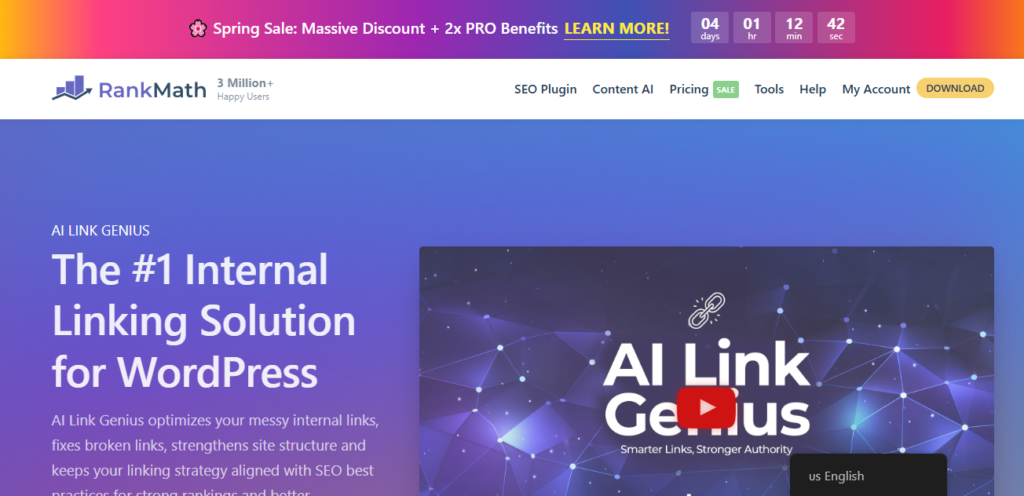
What makes it stand out is the combination of powerful AI with comprehensive link management features. It’s not just about adding new links — it helps you understand and optimize your entire wordpress site architecture and internal link structure.
When I first activated AI Link Genius, I ran a complete link audit. The plugin scanned all my content and gave me a visual dashboard showing my link health. It identified broken links, redirect chains, and pages blocked by robots meta tags that I didn’t even know existed. It showed me which posts had excessive outbound links and which had almost none. Most significantly, it identified my orphan pages — 14 posts with zero incoming internal links.
The real-time AI suggestions work smoothly while I’m writing in the WordPress editor. I click a “Generate” button in the Rank Math sidebar, and the AI analyzes my current content to show relevant internal linking opportunities from my existing posts. When I was writing about smartphone photography tips, it suggested linking to my article about photo editing apps — a perfect connection I wouldn’t have remembered manually.
The AI doesn’t just suggest where to link. It also suggests anchor text based on the surrounding context, making every link feel natural within the sentence.
The bulk link update tool is something I use constantly. When I reorganized my site structure and changed several URLs, I needed to update all internal links pointing to those old URLs. Instead of manually hunting through hundreds of posts, I used the bulk update tool to find every instance and replace it. It processed my entire site in minutes and updated anchor text where needed.
The keyword mapping feature is powerful for seo link building within your own site. I define my pillar pages and specify keywords related to those topics. The AI then scans my entire site to find those keywords in context and suggests links back to my pillar pages. My pillar page about “beginner photography” now receives incoming links from 27 related posts — all reviewed and approved by me after the AI surfaced the opportunities. That concentration of internal link authority told Google clearly which page is central to that topic.
The main downside is pricing. Rank Math Pro costs $59/year for a single site, which is reasonable. But the AI features consume Content AI credits separately — heavy usage requires purchasing additional credit packs. For my larger sites, I budget about $15 per month extra for credits.
That said, the comprehensive feature set makes it worth the cost. I’m not just getting AI linking. I’m getting broken link detection, redirect monitoring, orphan page identification, link equity analysis, and strategic keyword mapping in one tool.
Rank Math AI Link Genius works with both Gutenberg and Classic editor and has been consistently stable across various themes and configurations.
2. AIOSEO Link Assistant : Best for All-in-One SEO Solution
AIOSEO Link Assistant is my second choice, and the one I recommend if you’re already using AIOSEO for your general SEO needs.
The integration is seamless. Since I already had AIOSEO installed on several sites for meta tags, sitemaps, and schema markup, adding the Link Assistant felt like a natural extension of my existing workflow rather than adding a new tool.
AIOSEO’s standout feature is its contextual analysis. Rather than just matching topics, the AI evaluates the specific context around each potential link placement to determine whether that link adds genuine value at that exact location in the article.
I tested this by writing an article about travel budget tips. The AI suggested linking to my packing guide, but specifically in the section where I discussed saving money on baggage fees — not in the introduction or other sections where the connection would be looser. That level of contextual precision produces suggestions that feel editorial rather than algorithmic.
The anchor text generator creates natural variations. When linking to the same destination post from multiple source articles, it generates different anchor text for each based on the surrounding sentences. This keeps your anchor text profile natural and varied across your site.
The Link Assistant also provides comprehensive reporting showing exactly which posts have the most internal links, which have the least, and which linking patterns are contributing most to your seo performance. One feature I found particularly helpful is the link opportunity score — the AI ranks its suggestions by relevance, showing me which links are the strongest opportunities versus which are marginal. This helps me prioritize when I don’t have time to review every suggestion.
The main limitation is that the truly advanced AI features are only available in the higher-tier plans. The full AI-powered Link Assistant requires the Pro plan, which starts at around $199/year. That’s significantly more expensive than some alternatives — but if you’re using AIOSEO for your entire SEO toolkit, the value proposition makes sense. You’re consolidating rather than adding.
AIOSEO Link Assistant works well with Gutenberg, Classic editor, and most popular page builders including Elementor.
3. Link Whisper : Best for Content-Heavy Blogs and Publishers
Link Whisper was the first AI linking plugin I tested, and its continued popularity is backed by a genuinely useful feature set for publishers who produce content at volume.
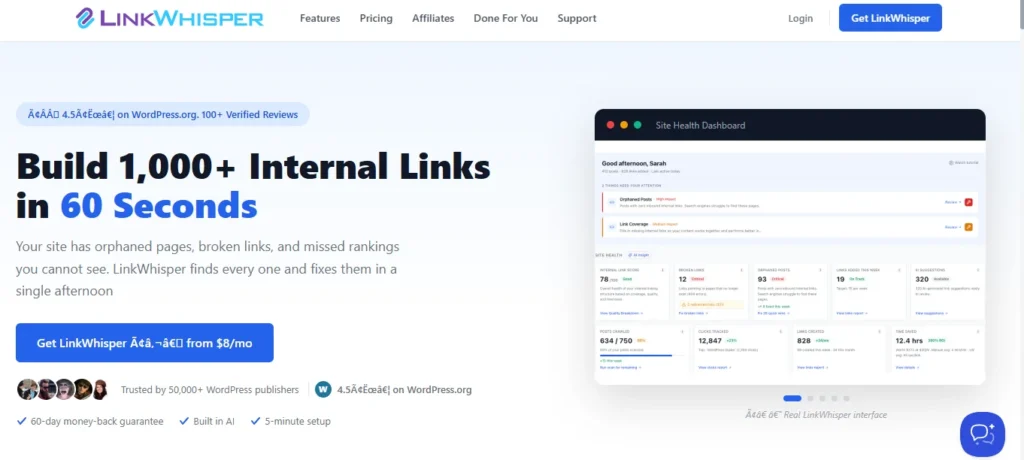
The focus here is specifically on internal linking. Link Whisper doesn’t try to be a full SEO suite — it does one thing and does it very well. This is the right tool if you want a dedicated internal link management solution without additional SEO overhead.
What makes Link Whisper great for content-heavy sites is the speed and efficiency of the suggestion engine. I use this on a news site that publishes 3 to 5 articles per day. Link Whisper handles that volume smoothly without slowing down either the editor or the frontend.
The AI suggestions appear in a meta box while you’re editing a post. You see a list of your existing posts that Link Whisper thinks are relevant, along with suggested anchor text. Click a suggestion and it inserts the link immediately. No extra panels, no complex menus — just fast, clean link insertion.
The domain report feature shows which posts on my site have few or no internal links pointing to them — my orphan posts that need attention. Link Whisper also provides a links report showing exactly how internal links are distributed across the site. I can sort by most outbound links, most inbound links, or least links overall.
This visibility helped me identify linking patterns I wasn’t aware of. I discovered I was over-linking to a few popular posts while completely neglecting other valuable content.
The orphan post fixer is a standout feature. Link Whisper identifies posts with no incoming links and helps you quickly add links from relevant existing content. I fixed 22 orphan posts in about 30 minutes using this tool.
Pricing is straightforward: Link Whisper costs $77/year for a single site with no hidden credit costs or usage limits. For high-volume publishers, that unlimited usage model is genuinely valuable — no worrying about running out of credits mid-month.
The main weakness compared to Rank Math is the lack of comprehensive link health monitoring. Link Whisper focuses on adding and managing links but doesn’t check for broken links or redirect chains. You’ll need a separate tool for those functions.
For most bloggers and content publishers, Link Whisper delivers the right balance of features, performance, and predictable cost.
4. Semantic LinkBoss : Best for Topic Clusters and Silo Building
Semantic LinkBoss — commonly referred to as simply LinkBoss — takes a different approach that appealed to me when I was restructuring one of my authority sites around topic clusters.
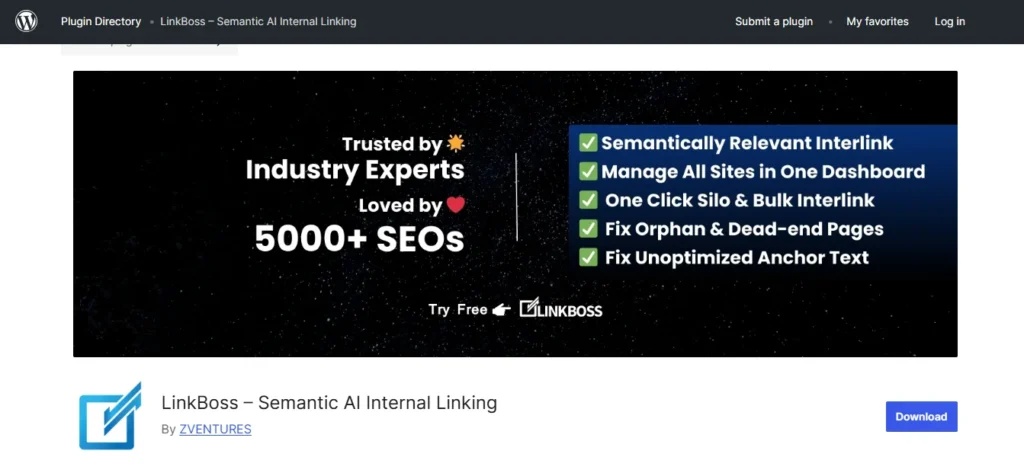
The standout feature is the advanced silo builder. Siloing is an SEO strategy where you organize content into tight topical groups with strategic internal linking within each group. LinkBoss makes this systematic. I can define my topic silos, assign posts to each silo, and the AI automatically suggests links that strengthen the silo structure while filtering out inappropriate cross-silo links that would dilute the topical focus.
For my outdoor recreation site, I created silos for hiking, camping, and rock climbing. LinkBoss helped me build strong internal link structures within each topic while keeping them appropriately separated — which signals clear topical authority to Google for each category.
The semantic AI is quite sophisticated. It uses natural language processing to understand topic relationships at a deep level. I found its suggestions were often more nuanced than simple topical matching — it understood subtopic relationships that simpler tools missed.
The bulk automation features are powerful. I can select multiple posts and have LinkBoss analyze all of them simultaneously, suggesting links throughout that entire group of content. When I migrated 150 old articles to a new site structure, LinkBoss helped me establish proper internal linking across all of them in one afternoon.
One feature I didn’t expect to love is the Google Search Console integration. LinkBoss pulls data from Search Console to show me which posts are ranking for which keywords, then suggests internal links that could help boost rankings for those target keywords. This data-driven approach to contextual linking is more strategic than just connecting related topics — it’s linking based on actual SEO goals and current performance data.
The interface is more technical than some other options. If you’re a beginner, it might feel overwhelming at first. But if you’re comfortable with SEO concepts and want strategic control over wordpress site architecture, the detailed options are valuable.
The personal plan starts around $15 per month. The main limitation is that LinkBoss works best when you have a clear content strategy and topic structure. If your site is more of a random collection of posts without topical organization, some of the advanced features won’t deliver their full value.
5. AI Internal Links Plugin — Best Free Option for Small Sites
The AI Internal Links plugin is available free in the WordPress plugin repository and is the lowest-barrier entry point into AI-powered internal linking for WordPress.
The free version provides AI-powered suggestions using OpenAI’s API, which means you need to provide your own OpenAI API key and will be charged by OpenAI based on usage. The setup is straightforward: sign up for an OpenAI account, generate an API key, paste it into the plugin settings, and it’s ready to go.
The AI analyzes your content when you save or update posts and suggests relevant internal links in a meta box in your post editor. The quality of suggestions is actually quite good because it’s using OpenAI’s language models directly — the same artificial intelligence technology behind many premium plugins.
What I like about this plugin is its simplicity. There’s no complex configuration or overwhelming options dashboard. It does one thing: suggests internal links based on AI analysis of your content.
The downside is the API cost. OpenAI charges per API call and per token processed. For my 60-post hobby site, I was spending about $2–$3 per month on API costs — very affordable. But for a 500-post site with regular updates, I estimated costs of $15–$20 per month. At that usage level, a plugin with included AI credits or unlimited usage might be more cost-effective.
The free version also lacks advanced features: no bulk processing, no link health monitoring, no orphan page detection. It’s purely focused on suggesting links while you write or edit. For a small blog or personal site, that may be everything you need.
If you’re just starting out, have a small site, and want to experiment with AI internal linking without committing to a paid subscription, this plugin is the right starting point. Just monitor your OpenAI API usage so you don’t get surprised by unexpected charges.
6. AI Internal Linking Manager — Best for Advanced Keyword Control
AI Internal Linking Manager takes a hybrid approach that combines AI with manual keyword control — making it a strong fit for anyone who wants strategic precision over fully automatic suggestions.
The plugin allows you to define keywords and target URLs, similar to traditional automatic linking plugins. But it also uses AI to analyze context and determine when it’s appropriate to insert those links versus when the keyword appears but the context doesn’t fit. This is a meaningfully smarter version of keyword-based linking.
I tested this on an ecommerce blog where I wanted specific product category pages to receive internal links whenever certain topics came up. The keyword detection proved quite sophisticated. I set up a rule to link to my “camera lenses” category page when discussing lens-related topics — and the AI recognized not just “camera lenses” but also “photography lenses,” “lens options,” “choosing optics,” and contextually similar phrases.
The plugin also lets me exclude certain sections from linking — I configured it to never add links in introductions or conclusions, keeping those areas clean and focused on the reader rather than navigation.
The import and export functionality saved me significant time when setting up multiple photography sites with similar link strategies. I created my keyword mapping on one site, exported it, and imported it directly to the others.
The main weakness is that it requires more manual setup than pure AI solutions. You need to define your keyword maps and link targets upfront. The AI assists but doesn’t work fully automatically. For someone who wants complete strategic control with AI assistance to make it smarter, this is a strong fit. For someone who wants the AI to handle discovery entirely, this may feel like too much upfront work.
The plugin is currently free with no Pro version — impressive given the feature set.
7. Similar AI — Best for Dynamic Related Content Blocks
Similar AI takes a fundamentally different approach from the other six plugins on this list — instead of inserting in-content links throughout your articles, it generates intelligent related content blocks that appear at the end of your posts.
I installed this on my recipe blog to see how it performed for engagement-focused internal linking.
The plugin adds a shortcode or widget that displays automatically generated links to related content. The AI analyzes each page and determines which other posts on your site are most relevant to show as recommendations. What makes Similar AI special is that these recommendations update automatically as your site grows. When I publish a new recipe, the AI immediately starts suggesting it on related existing recipe pages — without me doing anything.
The topical relevance is strong. On my chocolate cake recipe, Similar AI suggested related posts about chocolate desserts, cake decorating tips, and baking fundamentals — all genuinely relevant connections. The AI also incorporates actual search behavior data. It analyzes how visitors navigate your site and which content they view together, then uses those patterns to improve link suggestions over time. After a few weeks, the suggestions got noticeably more specific as the AI learned which posts my audience actually clicked between.
The setup is simple — install the plugin, add the linking block to your posts or pages, and the AI handles the rest.
For SEO purposes, it’s worth noting that in-content links tend to carry more weight than end-of-article related post widgets. Google puts more weight on contextual in-content links. So if your primary goal is distributing link equity strategically, Similar AI works best as a complement to one of the other plugins on this list rather than a standalone solution.
I use it on my recipe blog because visitors genuinely do click those related recipe suggestions and view more content — improving my pages-per-session metric. For SEO-focused authority sites, I use Rank Math or Link Whisper for strategic in-content linking.
Visit the Similar AI website for current pricing tiers, as these vary by traffic volume and number of sites and are updated periodically.
A Note on PurrLink
PurrLink is another AI-powered internal linking plugin that appears in competitive search results for this topic. My testing of PurrLink was more limited than the seven plugins above, so I haven’t included a full review here. However, it’s worth exploring if none of the seven above fits your specific workflow. It focuses on AI-based link suggestions with an emphasis on simplicity and ease of use.
Which Plugin Is Right for You? A Use-Case Breakdown
Choosing the right plugin comes down to three factors: site size, budget, and your specific use case. Here’s how I’d approach each scenario.
For Small Blogs (Under 100 Posts)
For a small blog or site just starting out, you don’t need the most expensive enterprise solution.
For most small sites, I’d start with either the free AI Internal Links plugin or Link Whisper — both provide genuine AI without overwhelming setup complexity. The free AI Internal Links plugin gives you genuine AI-powered suggestions without upfront cost, letting you experience the benefits before committing. If you’re willing to invest $77/year, Link Whisper provides more features and removes the variable API cost factor.
At this scale, you don’t need advanced features like silo building or bulk link management. You need something simple that helps you build good internal link structure as you create content.
For Large Content Sites (500+ Posts)
Once you have hundreds of posts, internal link management becomes exponentially more complex — and the ROI on a premium plugin is very clear.
Rank Math AI Link Genius or Semantic LinkBoss are the right choices here. Rank Math provides the comprehensive tools needed to manage internal linking at scale: bulk processing, orphan page detection, link equity auditing, and strategic keyword mapping all in one place. I’ve used Rank Math on sites with over 1,000 posts and it processes them smoothly without performance issues.
Semantic LinkBoss is excellent if you’ve organized your large site around topic clusters. The silo building features help maintain proper wordpress site architecture across hundreds of posts.
For SEO Professionals Managing Multiple Sites
If you’re managing internal linking for clients or across a portfolio of sites, your needs are different from a single-site owner.
Link Whisper or AIOSEO Link Assistant are the best fits depending on your broader SEO stack. Link Whisper offers agency licensing that covers multiple sites at a reasonable price. The clean interface shows clients exactly what work is being done, and the reports help demonstrate value concretely.
AIOSEO Link Assistant is ideal if you’re already using AIOSEO for client sites — having everything in one SEO platform simplifies management, reporting, and client training.
For agency use, avoid plugins that require individual API key management or complex per-site configuration. You want something you can deploy quickly across multiple sites with minimal friction.
For Ecommerce Sites
Ecommerce internal linking has specific needs around category pages, product pages, and supporting blog content.
AI Internal Linking Manager or Rank Math AI Link Genius are the strongest choices. AI Internal Linking Manager’s keyword mapping works well for ecommerce — you can define your important category and product pages, then map keywords that should link to them, with the AI ensuring links only appear where contextually relevant.
Rank Math offers similar capabilities with its keyword mapping feature, plus the link health monitoring helps you maintain clean link structure as you add and remove products.
For ecommerce, you want control over which pages receive internal links since you have commercial goals beyond pure SEO. Both of these plugins give you that strategic control while still benefiting from AI assistance.
How to Set Up an AI Internal Link Recommendation Plugin in WordPress (Step-by-Step)
Once you’ve chosen a plugin, the setup process follows a similar pattern across most options. Here’s the workflow I use to get a new AI linking plugin running effectively from day one.
Step 1: Install Your Plugin and Run a Link Audit First
Install the plugin through your WordPress dashboard (Plugins → Add New) or by uploading it manually if you purchased it directly from the developer. Activate it and complete any initial setup wizard it presents.
Here’s what most people skip and shouldn’t: immediately run a complete link audit before making any changes.
In Rank Math, I go to the Link Genius dashboard and click “Run Audit.” In Link Whisper, I check the Links Report. Why does this matter? It establishes a baseline. I want to know what my internal link structure looks like before the AI starts making suggestions, so I can measure the actual impact later.
The audit also reveals immediate problems — broken links, orphan pages, redirect chains. Fixing those should be the first priority before adding new links. I take screenshots of my link health dashboard so I can compare it again after 60 to 90 days.
Step 2: Configure Your AI Settings Before Doing Anything Else
Once the plugin is active, spend time in the settings before you do anything else. These are the configurations that matter most:
How many links should the AI suggest per post? I set this between 3 and 6 for most content. Too few and you’re not building a strong structure. Too many and your content starts to feel over-optimized.
Which post types should be analyzed? I enable posts and pages, but exclude portfolio items or custom post types that don’t benefit from internal linking.
Should links be automatically inserted or require manual approval? I always choose manual approval — the AI is good but not perfect, and I want to review before anything goes live.
Some plugins let you exclude specific categories or tags from linking. I use this to exclude announcement posts or time-sensitive content that I don’t want permanently linked throughout my site.
In plugins that use API keys, paste your credentials and test the connection before doing anything else.
Step 3: Review Your First AI Link Suggestions Carefully
Now see what the AI actually produces. Open one of your existing posts — this triggers the AI to analyze the content and show suggestions.
The first few suggestions tell you a lot about how well the AI understands your content.
Look for: Are the suggested links actually relevant? Read the destination post titles and ask whether that link would genuinely help a reader at that exact point in the article. Is the suggested anchor text natural — does it fit the sentence without feeling forced? Are there too many suggestions or too few?
Accept some, reject others, and note patterns. If most suggestions are good, the AI is well-calibrated for your content. If most are irrelevant, adjust your settings or consider a different plugin.
The rule I follow: never accept a suggestion just because the AI offered it. Ask “would this link actually help my reader?” If yes, accept it. If it feels marginal or purely SEO-motivated, reject it.
Step 4: Use Real-Time Suggestions as Part of Your Writing Workflow
The biggest workflow shift happens when you stop treating AI linking as a post-publishing task and start using it while you write.
When writing a new post, I keep the AI suggestions panel open in my sidebar. As I write each section, I periodically click the “Generate Suggestions” button to see what the AI recommends based on my current content. This is where the AI’s comprehensive memory of your content library becomes most valuable.
While writing a piece on smartphone photo editing, the AI suggested linking to an old post I wrote about color theory — a perfect connection that I completely forgot about because I’d written that post two years earlier. I’d never have made that connection manually while focused on drafting new content.
I don’t always insert links immediately while writing — sometimes I prefer to finish the draft first and then go through adding links. The AI suggestions are still there when I’m ready. The key is making AI linking part of your regular content creation process, not something you bolt on after publishing.
Advanced Strategies: Getting More SEO Value from AI Internal Linking
Once the basics are working, these strategic approaches multiply the SEO value of internal linking significantly. These are techniques I developed through trial and error and refined by studying how high-ranking authority sites structure their content interconnection.
Building Topic Clusters with AI Keyword Mapping
Topic clusters are one of the most effective modern SEO strategies, and AI internal linking makes them far more manageable to build and maintain.
My approach works like this. I identify my pillar content — comprehensive, authoritative articles on broad topics that I want to rank for competitive keywords. On my photography site, one pillar is “Photography for Beginners: Complete Guide.” Then I create cluster content — specific articles that dive deep into subtopics: “Understanding Aperture,” “Shutter Speed Explained,” “ISO Settings for Different Lighting.”
The strategic internal linking pattern: every cluster post links to the pillar post (passing authority upward), the pillar post links out to relevant cluster posts (helping readers explore deeper), and cluster posts occasionally link to each other when directly relevant.
In Rank Math, I define my pillar page and specify keywords related to that topic. The AI scans my entire site to find those keywords and related phrases in my existing content, then suggests adding links from those locations back to my pillar page. Within an hour of setting this up, my pillar page went from 4 incoming internal links to 31 — all from topically relevant content. That concentration of link authority told Google clearly which page is central to this topic. The page’s rankings improved noticeably over the following weeks.
The real advantage of using AI for topic cluster management is scalability. As I publish new cluster content, the AI automatically suggests linking it into the existing structure. The clusters grow organically without me manually tracking every connection.
Auditing Link Equity Distribution Across Your Site
Here’s something I didn’t understand for years: not all internal links are equally valuable from an SEO standpoint.
A link from a high-authority page with lots of external backlinks passes more SEO value than a link from a newer page with no external links. So strategic internal linking isn’t just about quantity — it’s about making sure your most important pages receive links from your highest-authority pages.
In Rank Math AI Link Genius, I can sort posts by number of incoming internal links. Ideally, this list should match my strategic priorities — pillar pages and conversion pages at the top.
When I first ran this audit, the results surprised me. A random blog post I wrote three years ago had more incoming internal links than my main service page. That was not strategic — it was just a product of how links had accumulated organically over time.
I also checked which pages had the most external backlinks using Google Search Console. Those are my highest-authority pages. Then I cross-referenced: are those high-authority pages linking to my strategic priority pages?
In many cases, they weren’t. I had valuable link equity sitting in old posts that wasn’t flowing to the pages I most wanted to rank.
Using AI suggestions, I added strategic internal links from high-authority pages to my pillar content — making sure every link was contextually relevant, not forced. Over the following months, I saw ranking improvements for those pillar pages as they received more link equity from strategic positions in my site architecture.
I now run this audit quarterly, checking the distribution of internal links to ensure they’re actively supporting my current SEO priorities.
Identifying and Fixing Orphan Pages
Orphan pages — posts with zero incoming internal links — are one of the fastest wins available in SEO because the fix requires no new content creation.
When I first ran an orphan page audit on my main site, I found 17 of them. Some were genuinely low-value content I’d forgotten about. But one was a detailed guide about landscape photography composition — great content, buried on page 4 for its target keyword with almost no traffic, simply because it had no incoming links.
Using Rank Math’s orphan page detection, I identified seven relevant articles where I could contextually add links to that guide. I reviewed all seven suggestions, approved six, and inserted the links.
Within three weeks, that landscape photography guide moved from page 4 to page 2 for its target keyword. Two months later, it hit position 3 on page 1. The content didn’t change — only the internal link structure did.
I went through the same process for all my orphan pages. Collectively, those former orphan pages went from generating roughly 200 monthly visits to over 1,400 monthly visits within about four months of being properly integrated into my site’s content architecture.
Note: results vary by site, niche, and content quality. These numbers reflect my specific sites and should not be treated as guaranteed outcomes.
I now check for new orphan pages monthly. Whenever I publish content, I make sure it receives at least 2–3 incoming internal links within the first week of publication.
Using Bulk Updates for Site-Wide Link Maintenance
Bulk link management became critical when I restructured one of my sites. I’d changed my permalink structure, updated some URLs for better SEO, and merged several old posts into comprehensive guides. That meant dozens of internal links throughout my site were pointing to old URLs — some redirecting properly, but those redirects slow down page load and dilute link value.
Manually finding and updating all those links would have taken days. Instead, I used Rank Math’s bulk update tool. I created a list of old URLs and their new destinations, and the tool scanned my entire site, found every instance of the old URLs, and replaced them with the new ones. It processed 400+ posts in about 10 minutes.
The bulk update tool is also useful for link text standardization. Early in my blogging journey I had inconsistent anchor text — some links said “click here,” others had overly optimized exact-match anchor text. The bulk find-and-replace tool let me update those site-wide in one session.
Before running any bulk update, I always: test on a staging site if possible, back up my database, start with a small batch to verify it works correctly, and review a sample of the changes after processing. Bulk tools amplify both good decisions and mistakes — one wrong find-and-replace could affect hundreds of posts.
Common Mistakes to Avoid When Using an AI Internal Link Plugin for WordPress
Mistake 1: Accepting AI Suggestions on Autopilot
Accepting AI suggestions without reading them was the first thing I got wrong — and the most disruptive to fix afterward.
When I first installed an AI linking plugin, I accepted 84 new internal link suggestions across my existing posts without really reviewing them. Most were excellent. But about 10–15% were questionable or actually unhelpful.
One example: the AI suggested linking from my article about “best budget cameras” to an article about “expensive professional cameras” with the anchor text “higher-end options.” Technically the topics are related — both are about cameras. But the reader context was wrong. Someone reading about budget cameras is specifically looking for affordable options. Sending them to a premium gear article doesn’t serve their needs.
I didn’t catch this because I wasn’t reviewing carefully. After getting some reader feedback about confusing links, I went back and audited all the auto-accepted suggestions and removed about 12 that didn’t serve the reader.
The rule I follow now: every AI suggestion gets a quick read before I accept it. Does this link genuinely help the reader at this point in the article? If yes, accept. If unsure, reject. This adds a few minutes to my workflow but dramatically improves the quality of my link structure.
AI is a powerful assistant, but it requires human oversight to catch contextual nuances.
Mistake 2: Not Calculating the True Cost Before Committing
Pricing caught me off guard when I didn’t read the fine print carefully.
I signed up for a plugin advertised at $29/month. What I missed was that AI features consumed separate credits — my subscription only included 100 per month, and each analysis cost 5 credits. That meant 20 posts per month before running out. With a 300-post site, I needed far more — and my true monthly cost was closer to $60.
Now when evaluating plugins, I always calculate total cost of ownership based on my actual site size and publishing frequency before committing. I ask: Is there a monthly limit on analyses? Do AI features consume separate credits? What’s the credit refill cost? What’s my estimated monthly usage?
For larger sites, I now prefer plugins with unlimited usage even if the upfront cost is higher. For smaller sites, credit-based pricing can be more economical. The key is knowing what you’re actually paying for before you invest time in setup.
Mistake 3: Not Knowing What Orphan Pages Are (Or Fixing Them)
Orphan pages were an SEO problem I didn’t know I had until a plugin showed me the data.
I had 17 posts with zero incoming internal links — disconnected from my entire site structure. Some were genuinely low-value content. But several were good articles that deserved traffic and rankings. They just weren’t connected to anything, so Google had no strong signal that they mattered.
Once I started adding internal links to those orphan pages from relevant existing content, I saw traffic increases of 200–400% on several of them within a few weeks. The content was already good. It just needed to be properly integrated into my site’s link structure.
Now I actively monitor for new orphan pages monthly. Every new piece of content I publish receives at least a few incoming internal links within the first week. The AI plugins make this systematic by identifying orphan pages automatically and suggesting where to add links from existing content.
Mistake 4: Using AI Without a Strategic Internal Linking Plan
Strategy-free AI linking is almost as bad as no linking at all — it just creates a lot of random connections without meaningful structure.
When I first started using AI linking, I accepted suggestions without any strategic direction. The result was a lot of internal links but no coherent wordpress site architecture. Some important pages had few links while less important pages had many — simply because the AI found more relevant existing content pointing to the latter.
Internal linking should reinforce your wordpress site architecture and SEO strategy simultaneously. You should have pillar pages you’re trying to rank for competitive keywords. Your internal links should funnel authority to those pillars. You should have topic clusters where related content links together in a logical structure.
The AI is incredibly effective at executing a strategy — but it shouldn’t define the strategy for you. Identify your 10 most important pages, define your topic clusters, and then use the AI as a powerful tool to implement that vision efficiently. The AI handles the discovery and connection work. You handle the strategic direction.
Do AI Internal Linking Plugins Really Improve SEO? What to Expect
Here’s a realistic picture of what AI internal linking actually delivers — including what it won’t do.
AI internal linking is one component of broader ai content optimization — and like all SEO work, it strengthens your foundation rather than delivering overnight ranking changes. You won’t install a plugin and jump from page 5 to page 1. What it does is strengthen your site’s foundation and help Google better understand your website structure and content architecture.
Across multiple sites, here’s the actual impact I’ve tracked:
Better crawl efficiency and crawl budget utilization. With a strong internal link structure, Google’s crawlers can navigate your site more efficiently, discovering and indexing more pages per crawl session. I can see this in Search Console — pages get crawled and indexed faster after improving internal link structure.
Improved rankings for well-linked pillar content. When I strategically built internal link authority to my cornerstone articles, those pages did rank better over time. Not overnight — over 2 to 3 months I saw gradual, sustained improvement.
More pages ranking for long-tail keywords. As internal link structure improved, I noticed more posts appearing in search results for related long-tail queries. Google seemed to better understand the topical relationships between my content.
Increased organic traffic from better link distribution. Fixing orphan pages and improving internal linking to valuable under-linked content produced meaningful traffic gains on those specific pages.
Lower bounce rate and higher pages per session. When readers find helpful related content through strategic internal links, they engage more with the site overall — which is a positive signal.
The metrics I track are: total indexed pages in Search Console, average position for target keywords, organic traffic to previously orphan or under-linked pages, and pages per session and session duration. I check these monthly, not daily — the changes are too gradual for week-to-week comparison.
One important thing to understand: internal linking amplifies the quality of your content, but it doesn’t replace it. If your content isn’t good, better internal linking won’t make it rank. But if you have good content that’s poorly linked, improving your internal link structure can help it reach its ranking potential.
Think of it as removing obstacles rather than adding rocket fuel. You’re making it easier for Google to discover, understand, and rank your content — but the content still has to deserve to rank.
Final Verdict: Best AI Internal Link Recommendation Plugin for WordPress in 2026
After testing seven plugins across multiple site types and sizes over several months, Rank Math AI Link Genius is the tool I’d choose first for most WordPress users. The combination of powerful AI, comprehensive link health monitoring, orphan page detection, keyword mapping, and bulk management tools makes it the most complete solution for serious content sites.
Yes, it costs more when you factor in credit usage. But the time saved and SEO value gained justify the investment for anyone publishing content consistently.
If you’re already using AIOSEO for your SEO needs and want everything in one platform, AIOSEO Link Assistant is the logical choice. The seamless integration and comprehensive reporting make the higher price point defensible for agencies and professional sites.
For bloggers and publishers who want a dedicated internal linking tool without complexity, Link Whisper delivers excellent value with flat, predictable pricing and unlimited usage.
If you’re building an authority site around topic clusters and want sophisticated silo-building capabilities, Semantic LinkBoss provides the most advanced strategic features for that specific use case.
For small sites or those experimenting with AI linking for the first time, start with the free AI Internal Links plugin. It gives you genuine AI assistance at minimal cost while you figure out which features you actually need.
Whatever plugin you choose, the only version that doesn’t work is the one you install and ignore. Start with one post per day — review the AI suggestions, approve the good ones, reject the weak ones. As you build that habit, the internal link structure across your site improves steadily without any single session feeling overwhelming.
Thirty days from now, you’ll have processed dozens of posts and built connections that would have taken weeks manually. Sixty days from now, you’ll have data from Google Search Console showing whether those links are moving the needle. Start there, and adjust your toolset as your site grows and your internal linking strategy becomes more sophisticated.
FAQ
Do I need an OpenAI API key to use AI internal linking plugins?
It depends on the plugin. Free plugins like “AI Internal Links” require your own OpenAI API key (you pay per use, typically $0.002 per 1,000 tokens). Premium plugins like Rank Math AI Link Genius, AIOSEO Link Assistant, and Link Whisper include built-in AI credits in their subscription—no separate API key needed.
Will AI internal linking plugins slow down my WordPress site?
Well-designed plugins have minimal impact because they process links when you save posts, not on every page load. Poorly coded plugins can slow your site significantly. Test before and after installation using GTmetrix or Google PageSpeed Insights, and check reviews for performance issues.
What happens to my internal links if I uninstall the plugin?
It varies by plugin. Some (Link Whisper, AIOSEO) insert permanent HTML links that stay after uninstall. Others use shortcodes or database references—links disappear when removed. Check the plugin documentation or test on a staging site first to avoid surprises.
Can AI linking plugins work with page builders like Elementor or Divi?
Most modern plugins work with popular page builders, but some have limitations with specific widgets. Link Whisper, AIOSEO Link Assistant, and Rank Math AI Link Genius support major builders. Always check compatibility documentation or test in staging before deploying site-wide.
How many internal links should each WordPress post have?
General best practice: 2-5 internal links per 500-1,000 words. Quality matters more than quantity—each link should genuinely help readers. Over-linking (10+ in a short post) looks spammy; under-linking creates orphan pages. Most AI plugins let you set maximum links to prevent over-optimization.
Do AI internal linking plugins work on non-English WordPress sites?
Many support multiple languages, but quality varies. AIOSEO, Rank Math, and LinkBoss mention multilingual support. Plugins using advanced NLP models (like OpenAI’s GPT) handle multiple languages well; simpler keyword-based tools may only work in English. Check language support documentation before purchasing.
What are “orphan pages” and why do AI linking plugins care about them?
Orphan pages have zero incoming internal links—visitors and search engines can’t easily find them. This hurts SEO because Google struggles to crawl, index, and rank poorly-connected content. AI plugins identify orphans and suggest where to link them, improving crawlability and rankings.
Can I use AI internal linking plugins alongside other SEO plugins like Yoast or Rank Math?
Yes. Link Whisper works with Yoast, Rank Math (free), or AIOSEO. However, if you’re using Rank Math Pro, AI Link Genius is already built-in—no separate plugin needed. Avoid running multiple full SEO plugins (like Yoast + AIOSEO) as they can conflict.