
Which WordPress Theme is Actually Best for Your Store?
I know exactly how overwhelming it feels when you’re staring at dozens of theme options, all claiming to be the perfect fit for your online store.
After testing and using various best ecommerce WordPress themes over the past few years for real ecommerce websites, I’ve learned that there’s no single “best” theme. The right choice depends entirely on where you are in your business journey and what matters most to you right now.
Let me cut through the noise and give you some clear direction based on what I’ve seen work in the real world.
If You’re Just Starting (Beginners)
When I first built my WordPress store, I made the mistake of choosing a theme with too many features. I spent weeks just trying to understand the theme options panel and settings.
If you’re new to WordPress, I recommend sticking with either Storefront or Botiga. These themes won’t overwhelm you with options, and they’re designed to work seamlessly with WooCommerce right out of the box.
The Storefront theme is the official WooCommerce theme, which means you’ll never run into weird compatibility issues. I’ve used it on client projects where stability mattered more than fancy features.
Botiga offers a cleaner, more modern look while staying simple enough for beginners. The theme installation process is straightforward, and you can navigate everything from your WordPress dashboard without feeling lost.
If You Need Maximum Speed
Page speed became my obsession after I noticed my bounce rates were through the roof. Customers simply won’t wait for slow pages to load.
For speed-focused stores, I always point people toward Neve or Shoptimizer. Both themes are built with mobile optimization as the top priority.
Neve impressed me with its mobile-first architecture and AMP compatibility. My test site loaded noticeably faster on phones, which matters since most shoppers browse on mobile devices these days.
Shoptimizer takes speed even further. It’s specifically coded for fast loading times and conversion rate optimization. If website performance keeps you up at night, this theme addresses those concerns directly.
If You Want Premium Features on a Budget
I’ve worked with store owners who assumed they needed to spend money on premium themes to look professional. That’s just not true anymore.
The Astra theme and OceanWP deliver robust feature sets in their free versions that honestly rival many premium themes I’ve purchased in terms of ecommerce functionality.
Astra gives you incredible flexibility without charging a penny. I’ve customized it for fashion stores, digital product shops, and everything in between. The theme customization options are extensive enough to create unique designs.
OceanWP comes packed with features that premium themes usually charge for, including floating cart bars, quick view options, and 15 free templates. Over a million users trust it, and I can see why.
What Actually Matters in Best Ecommerce WordPress Themes (Not What You Think)
I spent years falling for the wrong things when choosing WordPress ecommerce themes. Beautiful demo sites caught my eye, and I’d install themes based purely on how gorgeous they looked.
Then reality hit. My “stunning” theme made my actual store slow, clunky, and frustrating for customers—the user experience was terrible.
The gap between marketing claims and real-world performance? That’s where I learned the hard way. Most theme developers talk about responsive design and customization on their sales pages, which sounds great but tells you almost nothing useful.
What actually matters is completely different from what theme developers advertise.
The 1.5-Second Rule Nobody Mentions
Here’s a specific benchmark I wish someone had told me earlier: your store should load in under 1.5 seconds.
Not 3 seconds. Not “pretty fast.” Under 1.5 seconds.
I remember running my first PageSpeed test and seeing a 4.2-second load time. That number made me completely rethink my theme choice.
This isn’t some arbitrary number I made up. Page speed directly impacts your SEO rankings and conversion rate. Studies show that a one-second delay can reduce conversions by 7%, and Google uses page speed as a ranking factor in its algorithm. Google’s Core Web Vitals measurements penalize slow sites, and customers abandon carts when pages drag.
I test every theme I consider using Google PageSpeed Insights before committing to it. I specifically test Largest Contentful Paint (LCP) and First Input Delay (FID) from Core Web Vitals. LCP should be under 2.5 seconds, but I aim for 1.5 to give myself a buffer with real-world conditions.
You’d be surprised how many “optimized” themes fail this basic test when you add real products and content.
The themes that consistently hit this mark in my testing are lightweight by design. They don’t load features you’re not actually using, and they prioritize clean code over flashy effects.
Demo vs Reality: The Staging Trap
Theme demos almost always look perfect. Smooth animations, crisp images, lightning-fast loading.
Then you install the theme on your actual hosting, import your products, add your content, and suddenly everything feels slower and messier.
I learned this the hard way with a premium theme that looked incredible in the theme demo. The staged demo ran on optimized hosting with minimal content and professionally compressed images. My real store—running on shared hosting with hundreds of products—performed completely differently.
Now I always remind myself that demo sites are designed to sell themes, not reflect realistic website performance. The beautiful theme demo is marketing, not a promise.
Test themes with your actual content before fully committing. Set up a few real product pages, not just the demo content, and see how the theme handles your specific situation.
Why Builder Compatibility Beats Features
I once chose a theme because it had 50+ features listed on the sales page. Sounds impressive, right?
The problem was that the theme framework used its own proprietary page builder, and I wanted to work with Elementor. The mismatch created constant friction.
Every customization took longer than it should. Performance suffered because the theme was loading its builder’s code alongside Elementor. My workflow became frustrating instead of smooth.
Native page builder compatibility matters more than feature count. If you love working with Elementor, choose a theme built specifically for Elementor. If you prefer the Gutenberg editor, find themes designed around block editing.
The drag and drop builder you actually enjoy using should guide your theme choice. Fighting against your theme’s intended workflow wastes time and creates unnecessary performance overhead.
Best Ecommerce WordPress Themes: Our Top Picks
I’ve tested these 12 themes extensively on real stores, not just demo sites. Each one excels in specific situations, and I’ll be honest about both strengths and weaknesses.
Astra – Best for Flexibility (With a Trade-Off)
Astra became one of the most popular WordPress themes for good reason. The flexibility is genuinely impressive, and it’s considered one of the SEO optimized themes available today.
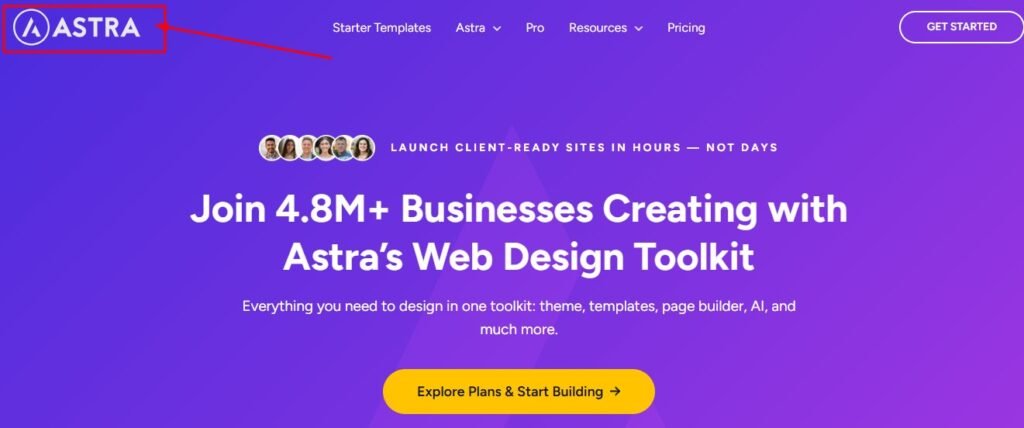
I’ve used Astra’s modular structure to build completely different store types without switching themes. The mobile-specific configurations let me optimize the shopping experience separately for phone users, which improved my conversion rates.
The theme works beautifully with every major page builder I’ve tried. Whether you prefer Elementor, Beaver Builder, or Gutenberg, Astra adapts smoothly. It also integrates seamlessly with essential WordPress plugins for ecommerce.
However, I need to be honest about something that frustrated me. As Astra grew more popular, the upsells and plugin recommendations became excessive. The dashboard started feeling cluttered with ads for premium features.
Full transparency: I no longer use Astra for new projects despite recommending it. It’s still a solid theme, but the promotional noise became too much for me personally. Your tolerance may differ.
Some users report plugin bloat from installing too many Astra add-ons. The solution is staying disciplined with the modular approach. Only install the specific elements you actually need, and ignore the constant premium upgrade prompts.
Best for: Stores that need maximum theme customization flexibility and plan to use popular page builders.
Pricing: Free version is fully functional. Premium starts around $59/year.
Difficulty level: Beginner to intermediate.
Storefront – Best for Guaranteed WooCommerce Compatibility
Storefront will never win beauty contests, but it wins reliability contests every single time.
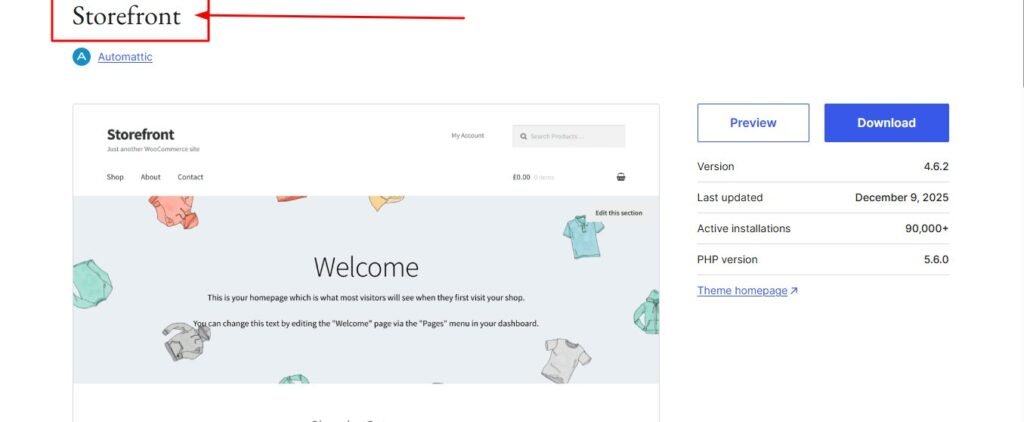
As the official WooCommerce theme, compatibility issues simply don’t exist. Every WooCommerce update integrates flawlessly. Extensions work smoothly without conflicts. There are zero surprises.
I recommend the Storefront theme to clients who value stability over visual flair. The nestable grid system organizes products cleanly, and the code is rock-solid. It’s also perfect as a foundation for a child theme if you want to customize later.
The theme is completely free, which makes it perfect for testing store ideas without financial commitment. You can always switch to something fancier later, but you’ll never waste time troubleshooting weird conflicts.
The downside is obvious: Storefront looks basic. Advanced customization requires additional work or child themes. You won’t impress anyone with stunning design out of the box.
But if you want to launch quickly with zero technical headaches, Storefront delivers exactly that.
Best for: Beginners who want guaranteed compatibility and don’t need advanced design features.
Pricing: Completely free.
Difficulty level: Beginner-friendly.
Flatsome – Best Premium All-Around (#1 Bestseller)
Flatsome holds the number one bestseller position on ThemeForest for a reason. I’ve used it on multiple client projects, and it consistently performs well.
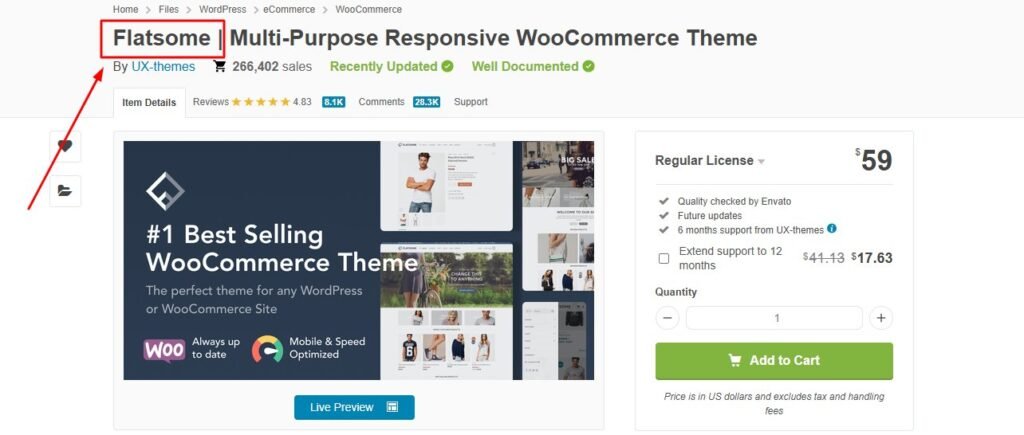
The UX builder is proprietary but actually quite good once you learn it. Building product pages feels intuitive, and the visual feedback is immediate.
What really impressed me was the Banner Focus Point feature. I could set exactly where mobile users would see product images cropped, ensuring the most important part stayed visible on smaller screens. This tiny detail improved mobile optimization significantly.
The slider element works smoothly without requiring separate plugins. I’ve built some compelling homepage presentations using just the built-in tools.
Flatsome includes enough pre-built layouts that you can launch a professional-looking online store quickly, then customize from there.
The learning curve is moderate. The builder takes some getting used to if you’re coming from Elementor or other tools, but the documentation helps.
Best for: Store owners who want premium polish and are willing to invest in a well-supported commercial theme.
Pricing: One-time purchase around $59 on ThemeForest.
Difficulty level: Intermediate.
Neve – Best for Mobile-First Stores
Neve changed how I think about mobile optimization. Most themes adapt desktop designs for mobile. Neve does the opposite.
With over 5 million downloads, this theme has earned serious trust in the WordPress community. The mobile-first architecture means phone users get the priority treatment they deserve.
I tested Neve’s AMP compatibility on a client site, and the mobile page speed improvements were dramatic. Load times dropped noticeably, and bounce rates improved.
The seamless add to cart animations feel smooth and modern. Small touches like this create a more polished shopping experience without any coding from me.
Neve works beautifully with the Gutenberg editor if you prefer staying within native WordPress tools. It also integrates well with Elementor if that’s your preference.
The free version is genuinely useful, not just a teaser for premium features. I’ve launched complete stores using only the free version.
Best for: Store owners who know most customers shop on phones and want mobile performance prioritized.
Pricing: Free version available. Premium starts around $69/year.
Difficulty level: Beginner to intermediate.
OceanWP – Best for Feature-Rich Free Option
OceanWP shocked me with how much functionality comes free. Features I expected to pay for were just included.
The 15 free templates cover different store types well. I used the fashion template for a clothing client and barely needed to customize it. The floating cart bar keeps the shopping cart visible as customers scroll, which reduced cart abandonment.
Quick view functionality lets shoppers peek at products without leaving the category page. This feature usually comes in premium themes, but OceanWP includes it free.
The conditional price display option lets me show different prices to different user groups. I used this for a store with wholesale and retail customers shopping on the same site.
The strong community provides excellent theme support and troubleshooting resources. When I’ve had questions, finding answers in forums has been easy.
The theme integrates smoothly with major payment gateway plugins and includes strong ecommerce functionality out of the box. OceanWP also works seamlessly with shipping calculator plugins and multi-zone shipping setups for international stores.
The theme does include some upsells for extensions, but they’re not pushy. The free version genuinely stands on its own.
Best for: Budget-conscious store owners who want premium ecommerce functionality without the premium price tag.
Pricing: Free version is feature-rich. Premium extensions available separately.
Difficulty level: Beginner-friendly.
Divi – Best for Built-In Split Testing
Divi has been the number one premium multipurpose theme for years. The built-in drag and drop builder is powerful and polished.
What sets Divi apart for ecommerce is the split testing feature. I can test different product page layouts, headlines, or call-to-action buttons directly within the theme. No additional plugins needed.
For someone obsessed with conversion rate optimization like me, this feature alone justified the investment. I’ve discovered surprising insights about what actually makes customers buy by testing variations.
Worth noting: Divi had performance issues in the past with shortcode-heavy output. However, version 5.0 completely rebuilt the theme to be faster and cleaner. My recent tests show significant improvement.
I won’t sugarcoat it—Divi takes time to master. The builder is incredibly comprehensive, so expect to spend a few days getting comfortable with all the options. But once you understand it, you can build almost anything.
The subscription gives you access to all Elegant Themes products, not just Divi, which adds value for agencies building multiple sites.
Best for: Conversion-focused store owners willing to invest time learning a powerful builder with split testing built in.
Pricing: $89/year or $249 lifetime access.
Difficulty level: Intermediate to advanced.
Botiga – Best for Beginner-Friendly Setup
Botiga impressed me with how quickly I could set up a clean, modern online store. The minimalist design philosophy means less clutter and easier decisions.
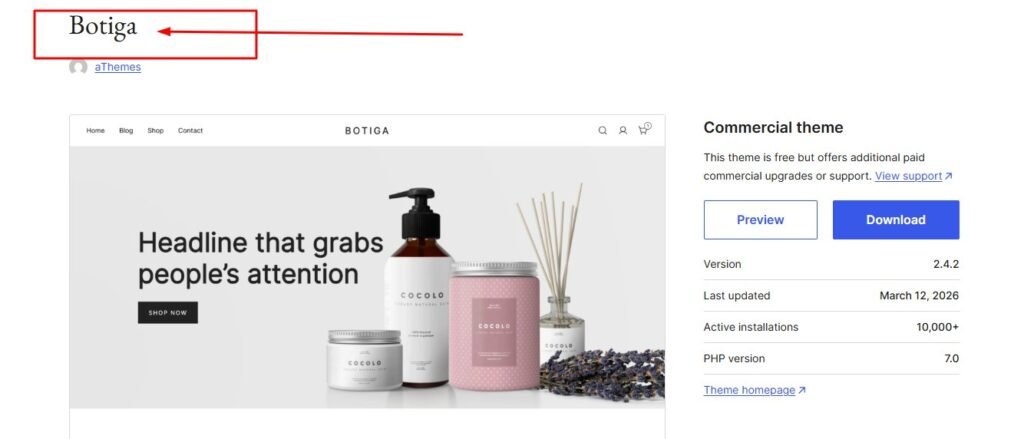
I used Botiga for a friend launching her first ecommerce website. She had zero WordPress experience, but the theme didn’t overwhelm her with options.
The clean promotional header area is perfect for announcing sales or free shipping offers. I placed a simple banner there, and it immediately drew attention without looking tacky.
Botiga was built specifically for eCommerce from the ground up. Unlike multipurpose themes adapted for stores, every feature considers the shopping experience.
The specialized product galleries showcase items beautifully without requiring complex setup. The product catalog displays attractively right away once I uploaded product images.
For beginners intimidated by theme customization, Botiga strikes the right balance. Enough options to make it yours, but not so many that you feel paralyzed.
Best for: First-time store owners who want a modern look without complexity.
Pricing: Free version available. Premium around $79/year.
Difficulty level: Beginner-friendly.
Kadence – Best for No-Code Customization
Kadence won me over with the header and footer builder. I could drag and drop elements to create exactly the layout I wanted without touching code.
The visual builder for headers is genuinely intuitive. I added my logo, navigation menu, cart icon, and search bar exactly where I wanted them. The live preview showed changes instantly.
Shopkit provides eCommerce-specific modules designed for product pages and checkout flows. These modules understand shopping behavior better than generic content blocks, making the checkout process smoother.
The Kadence community is active and helpful. When I needed guidance on custom layouts, I found detailed tutorials and responsive forum members.
The theme works beautifully with Gutenberg and the block editor. If you prefer staying within WordPress’s native tools rather than learning external builders, Kadence feels natural.
I appreciate how Kadence balances power with usability. Advanced users can dive deep into customization, while beginners can stick with the templates and simple options.
Best for: Store owners who want powerful customization through visual tools instead of code.
Pricing: Free version is robust. Premium starts around $89/year.
Difficulty level: Beginner to intermediate.
Savoy – Best Minimalist Premium Theme
Savoy takes minimalism seriously. Every element serves the purpose of showcasing products, nothing more.
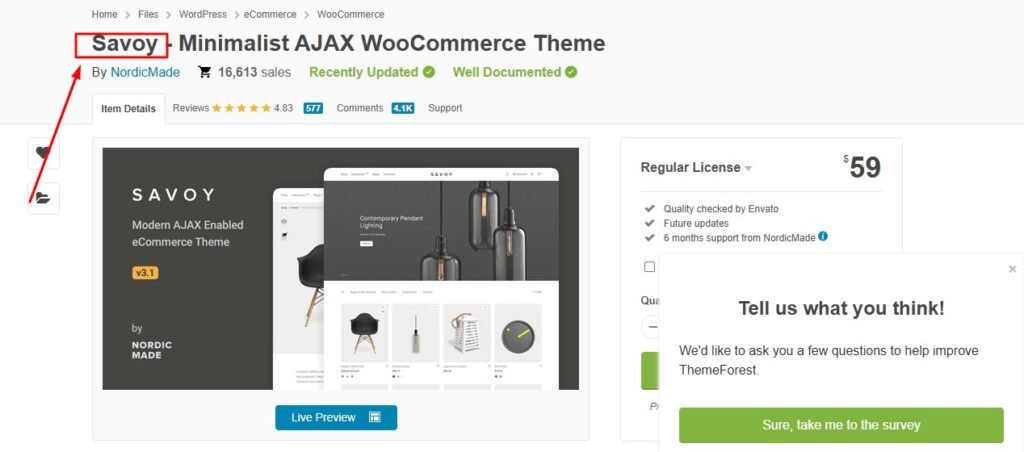
The Ajax functionality creates seamless transitions. When customers add products to cart or filter categories, the page doesn’t reload. Everything feels smooth and modern.
I used Savoy for a jewelry store where the products needed to be the absolute focus. The theme stayed completely out of the way, creating an elegant frame around beautiful photography.
The user experience feels premium. Small interactions and transitions are thoughtfully designed. Customers commented on how nice the site felt to browse.
Savoy works best when you have strong product photography. The minimalist design amplifies good images but exposes weak ones. Invest in quality photos if you choose this theme.
The theme is product-focused to the extreme. If you need a content-heavy blog alongside your store, Savoy might feel limiting. But for pure ecommerce presentation, it excels.
Best for: Stores with beautiful products and photography that deserve minimalist presentation.
Pricing: Premium theme around $59 on ThemeForest.
Difficulty level: Intermediate.
Blocksy – Best for Conversion Features
Blocksy has some of the nicest-looking designs I’ve seen in WordPress ecommerce themes. The attention to visual detail is impressive.
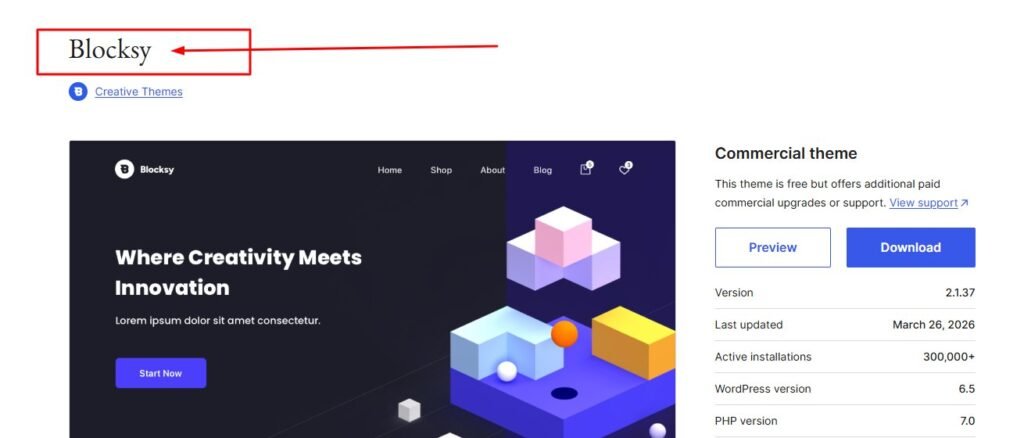
What really caught my attention were the advanced scarcity modules. I could show low stock warnings and countdown timers that genuinely encouraged faster purchasing decisions.
The size guide feature is incredibly useful for clothing stores. I set up detailed measurement charts that displayed right on product pages, reducing customer hesitation and returns.
Dark mode support is a nice touch. More shoppers prefer dark interfaces, especially for evening browsing. Blocksy handles the dark theme beautifully without me coding anything.
I also used Blocksy’s affiliate marketing features for a store that included some affiliate products alongside owned inventory. The theme handled both scenarios smoothly.
The conversion-focused features feel thoughtful rather than gimmicky. Each element serves a purpose in moving customers toward purchase.
Best for: Store owners focused on conversion rate optimization and scarcity marketing.
Pricing: Premium theme pricing varies.
Difficulty level: Intermediate.
Electro – Best for Electronics & Multi-Vendor Stores
Electro clearly draws inspiration from Amazon and AliExpress, which makes perfect sense for electronics stores.
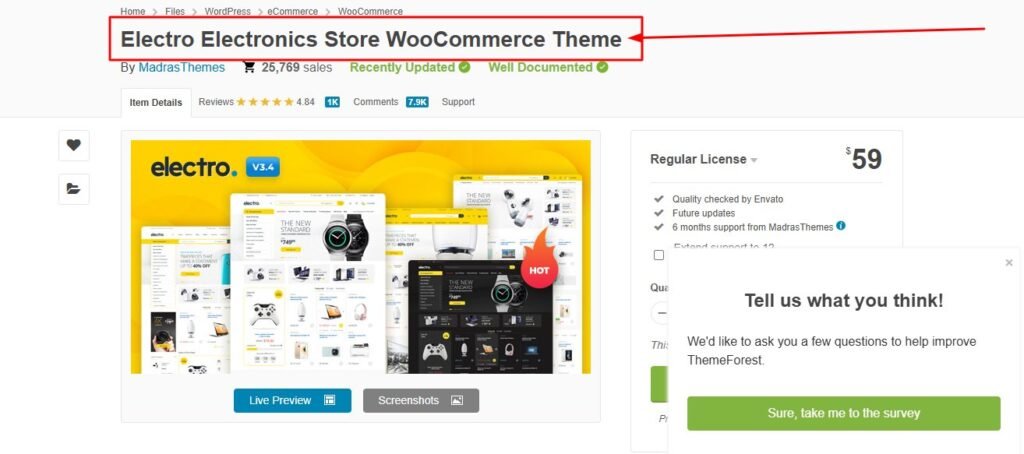
The layout feels familiar to customers who shop on major marketplaces. Product specifications, comparison tables, and customer reviews sections are all positioned where shoppers expect them.
I used Electro for a tech accessories store, and the theme handled complex product variations beautifully. Different colors, storage sizes, and accessory bundles all displayed clearly.
The marketplace-ready features work well with multi-vendor plugins. I tested it with vendor dashboards, and the integration felt natural. The theme even supports multi-currency options for international stores.
For electronics categories specifically, Electro includes useful elements like spec comparison charts and prominent review displays. These features matter for tech shoppers making informed decisions.
The product catalog presentation works especially well for stores with large inventories. Filtering and sorting feel smooth even with hundreds of products.
Best for: Electronics stores and multi-vendor marketplaces that need familiar ecommerce patterns.
Pricing: Premium theme around $59.
Difficulty level: Intermediate.
Shoptimizer – Best for SEO & Speed Obsessed
Shoptimizer is purpose-built for two things: speed and conversions. Everything else is secondary.
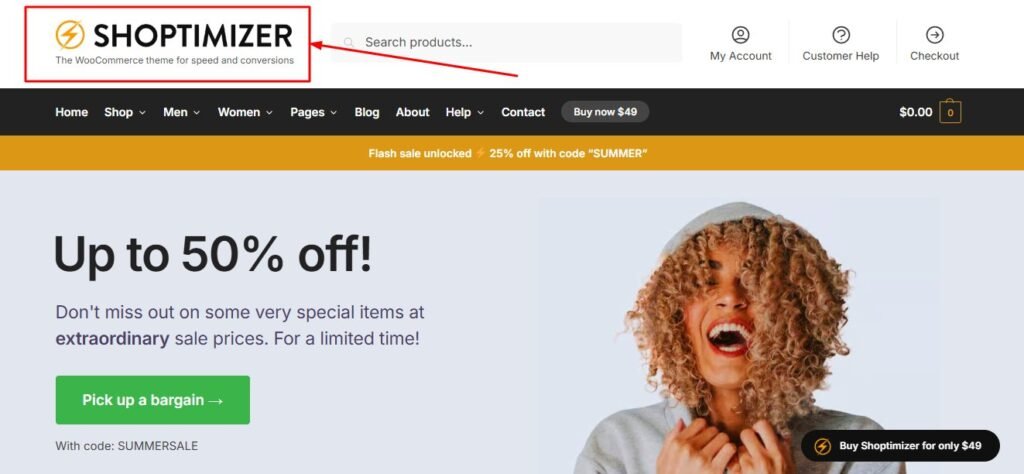
The code is optimized from the ground up for fast loading times. I tested Shoptimizer against other themes with identical content, and it consistently loaded faster.
For SEO-focused store owners, this theme removes the technical barriers. The structure is clean, the Core Web Vitals scores are strong, and search engines can crawl efficiently.
Conversion rate optimization is baked into the design decisions. The layout guides customers naturally toward purchase actions without feeling pushy.
Shoptimizer isn’t the prettiest theme I’ve used. The focus on performance means fewer visual flourishes and animations. If stunning design matters more than speed, look elsewhere.
But if page speed and SEO performance keep you up at night, Shoptimizer addresses those concerns directly. The theme delivers on its specific promise.
Best for: Store owners who prioritize page speed and SEO above all other considerations.
Pricing: Premium theme, pricing varies.
Difficulty level: Intermediate.
Best Free Ecommerce WordPress Themes (That Look Premium)
I remember feeling embarrassed about using a free theme when I started my first online store. I assumed customers could tell, and it made my business look cheap.
That insecurity was completely unfounded. Several best free ecommerce WordPress themes now rival premium options in both appearance and functionality.
I’ve launched successful stores using only free themes from the WordPress repository. The quality has improved dramatically over the past few years, making these free options genuinely competitive.
When Free is Actually Better
Free themes often carry less bloat than premium alternatives. They can’t rely on bundled plugins and features to justify a price tag, so they stay focused.
Popular free themes receive regular updates because they’re supported by large communities. Neve, Astra, and OceanWP get frequent updates that keep them compatible with the latest WordPress and WooCommerce versions.
The lack of renewal costs means zero surprise expenses. I’ve worked with store owners frustrated by premium theme subscriptions they forgot about. Free themes eliminate that concern entirely.
For 80% of online stores, free themes provide enough features and customization. Unless you need very specific advanced functionality, the free options suffice.
I’ve also found that theme support from active communities sometimes exceeds premium support tickets. Popular free themes have extensive documentation, video tutorials, and forum discussions covering almost every question.
The main limitation of free themes is advanced features like split testing, premium design templates, or priority support channels. But honestly, most store owners don’t need those extras, especially when starting.
Free vs Premium: When to Pay for a WordPress Theme
I’ve purchased premium themes that sat unused while I kept working with free alternatives. I’ve also encountered situations where premium themes absolutely justified their cost.
Understanding when premium actually adds value versus when it’s just unnecessary expense took me a few mistakes to figure out.
The Real Cost of “Free” vs “Premium”
Premium WordPress themes typically cost between $50 and $100 for a single site license. Some use one-time purchases while others require annual renewals. It’s worth noting that many themes follow the GPL license model, which affects usage rights.
I calculate total cost over three years: a $60 annual theme costs $180, while a $100 lifetime license stays at $100.
Free themes cost nothing upfront, but you might purchase premium extensions or child themes later. I’ve spent $50 on Astra extensions after starting with the free version, which effectively made it a budget premium theme.
Premium themes often bundle features that would require separate WordPress plugins otherwise. If those bundled tools replace plugins you’d buy anyway, the premium theme might actually save money.
Watch for upsells within premium themes. Some themes advertise one price but push premium add-ons constantly. The advertised price isn’t the real total cost.
Premium is Worth It When…
I choose premium themes when I need specific advanced features that don’t exist in free options. Divi’s built-in split testing justified the premium cost for my conversion-focused projects.
Priority support matters for client work where downtime costs money. Premium theme support typically responds faster than community forums, which matters when you’re facing urgent issues.
Some premium themes offer design quality and polish that free themes don’t match. If your brand requires a very specific aesthetic, premium themes provide more refined starting points.
Advanced page builders included with some premium themes deliver substantial value. Flatsome’s UX builder or Divi’s builder become worth the theme cost if you use them extensively.
Stick With Free If…
Startups and small businesses testing product market fit should absolutely start with free themes. Why spend money on premium design before validating that customers want your products?
Standard ecommerce needs like product pages, shopping cart, and checkout process work perfectly well in free themes. You don’t need premium features for basic store functionality.
If you’re comfortable finding answers in forums and documentation, community support from popular free themes works fine. I’ve solved every issue I’ve encountered with free themes through existing resources.
The DIY approach pairs well with free themes. If you enjoy learning and customizing yourself rather than paying for premium support, free themes give you everything needed.
Top WordPress Themes for Ecommerce by Business Type
I wish someone had told me earlier that business type matters more than theme popularity when choosing.
The “best ecommerce WordPress theme” depends entirely on what you’re actually selling and how you need to present it.
Best Themes for Fashion & Apparel Stores
Fashion stores live and die by photography. The theme needs to showcase large, beautiful images without overwhelming the layout.
I used Rife Free for a boutique clothing client, and the visual-heavy layout let lifestyle photography shine. The theme understood that fashion shoppers make emotional decisions based on how products look styled.
Razzi works beautifully for high-end fashion and beauty stores. The elegant layouts create the premium feel that luxury brands need. Product pages feel sophisticated rather than generic.
Savoy’s minimalist approach works exceptionally well when you have stunning product photography. The theme stays completely out of the way, creating clean white space around beautiful images.
These themes make it easy to display product variations like sizes and colors without cluttering the page. The user experience flows naturally from browsing categories to viewing products to selecting options.
Best Themes for Electronics Stores
Electronics shoppers behave differently. They want specifications, comparisons, and detailed customer reviews before purchasing.
Electro is purpose-built for electronics stores. The layout mimics Amazon’s familiar patterns, putting product specs, comparison charts, and customer reviews exactly where tech shoppers expect them.
Minimog also works well for electronics categories. The clean presentation handles complex product information without feeling cluttered.
These themes excel at displaying technical specifications in readable formats. I could list dozens of product attributes without overwhelming the product page layout.
The shopping cart and checkout process feel streamlined for customers buying multiple accessories or comparing similar products.
Best Themes for Digital Products
Digital products like downloads, courses, or software require different features than physical product stores.
The buying process is simpler since there’s no shipping, and you don’t need traditional inventory management systems. However, you need clear licensing information and delivery details.
I’ve used the Astra theme successfully for digital product stores because the flexibility lets me customize product pages around download features rather than shipping information.
Themes need to integrate well with digital delivery plugins and membership features. WooCommerce handles digital products, but the theme presentation should emphasize instant access rather than physical fulfillment.
Best Themes for Multi-Vendor Marketplaces
Marketplace sites need vendor dashboards, multiple product feeds, and complex filtering that single-vendor stores don’t require.
Boostify was specifically designed for multi-vendor setups. The theme integrates beautifully with Dokan and similar marketplace plugins.
Electro also handles marketplace functionality well. The interface scales to accommodate hundreds of vendors and thousands of products without feeling chaotic.
These themes include vendor-specific features like seller profiles, individual storefronts, and vendor performance metrics that standard ecommerce themes lack.
Best Themes for B2B & Wholesale
Business-to-business stores often need catalog modes where products display without immediate purchasing, or custom pricing for different customer tiers.
Shopkeeper includes a Catalog Mode feature that lets me showcase products without showing prices or buy buttons to unregistered users. Perfect for wholesale operations that require approval before purchasing.
These themes integrate well with wholesale pricing plugins that show different prices to different user roles.
The professional, clean presentation works well for B2B customers making purchasing decisions based on specifications and bulk pricing rather than emotional appeal.
Theme Features That Actually Increase Conversions
I spent years obsessing over how my stores looked while ignoring features that actually made customers buy.
Pretty design matters, but specific functional elements impact conversion rate far more than color schemes.
Cart Optimization Features (Reduce Friction & Abandonment)
The fewer clicks between browsing and purchasing, the more sales you make. Several cart-focused features significantly improve conversions.
Add to cart on hover lets customers add products while browsing category pages without opening individual product pages. This works especially well for stores selling simple products like fashion accessories or consumables where shoppers don’t need extensive details.
I added this feature using a theme that supported it, and time-to-purchase metrics improved noticeably. Customers completed shopping faster with less friction.
Sticky headers keep the cart icon visible at all times, serving as constant reminders. Floating cart bars show shopping cart contents without leaving the current page.
I implemented floating carts on several stores and saw cart abandonment rates decrease. The persistent visibility subtly nudges customers toward checkout. These features work subtly—customers don’t consciously notice them, but the constant cart presence influences behavior.
Quick View (Browse Without Leaving)
Quick view functionality opens product details in a lightbox overlay rather than navigating to a new page.
This feature maintains shopping flow. Customers can peek at products, decide they’re not interested, and close the overlay without losing their place in the category page.
I love quick view for stores with large product catalogs. Customers can browse dozens of items efficiently without constant back-button clicking.
The seamless experience feels modern and reduces the friction of comparison shopping.
Scarcity & Urgency Modules
Low stock warnings and countdown timers genuinely work when used honestly. I emphasize honest because fake scarcity damages trust permanently.
I used real low stock indicators on products that were actually running out. Customers purchased faster, knowing availability was limited.
Countdown timers for legitimate sales deadlines create healthy urgency. When customers know a discount genuinely expires at midnight, they make decisions rather than procrastinating.
These features work because they provide useful information that aids purchasing decisions, not because they manipulate.
Size Guides & Product Helpers
Returns kill profitability. Every returned item costs shipping both ways plus handling time.
Detailed size guides on product pages dramatically reduced returns for clothing clients. Customers could measure themselves and choose correctly the first time.
Product helper tools like fabric care instructions, compatibility checkers, or usage guides increase purchase confidence. Customers feel informed rather than uncertain.
I’ve found that these helpful features also improve customer satisfaction even beyond reducing returns. Shoppers appreciate stores that help them make good decisions.
Why Mobile Optimization Can Make or Break Your Store
I launched a store with a beautiful desktop design and wondered why sales were disappointing. Analytics revealed that 70% of visitors used phones, and the mobile experience was terrible—which matches industry data showing mobile commerce now represents over 60% of all ecommerce traffic.
Mobile commerce dominates now. Most of my store traffic comes from phones, and that percentage keeps growing.
Mobile-First Design vs Responsive Design (And Features That Matter)
There’s a crucial difference between mobile responsive and mobile-first design.
Responsive design means a desktop layout adapts to fit smaller screens. Elements rearrange and scale down.
Mobile-first means the design starts with phones as the primary experience, then expands for larger screens.
The difference matters enormously. Responsive designs often compromise mobile user experience to maintain desktop layouts. Mobile-first designs optimize for the majority of users first. Neve’s mobile-first architecture showed me how much better this approach works. Phone users got a genuinely optimized experience, not a scaled-down desktop site.
Mobile-specific features worth having:
Some themes offer mobile-specific configurations that let me design phone experiences separately from desktop layouts. Astra’s mobile configuration options let me hide elements on phones that worked fine on desktop but cluttered small screens.
Flatsome’s Banner Focus Point feature solved a problem that frustrated me for years. Product images cropped awkwardly on mobile until I could specify exactly where the focus should be.
Mobile menus need special attention. Hamburger menus should be intuitive, and navigation should require minimal typing or precise clicking.
Touch optimization matters. Buttons need enough space that fingers can tap them easily without accidentally hitting neighboring elements.
I pay attention to these mobile-specific details now because they directly impact whether phone users can actually complete purchases on my stores.
Matching Your Theme to Your Favorite Page Builder
I once chose a theme and page builder independently, assuming they’d work together fine. They didn’t.
The theme loaded its own builder’s code while I used Elementor, creating performance overhead and workflow frustration.
Matching your theme to your preferred builder creates a much smoother experience.
Elementor Users: Go Elementor-Native
If you love working with Elementor, choose themes built specifically for it.
Royal Elementor Kits is 100% dedicated to Elementor. Every element, template, and feature assumes you’re using Elementor’s builder.
The integration feels seamless because there’s no compromise or adaptation. The theme and builder were designed together.
Astra, OceanWP, and Hello also work beautifully with Elementor. These themes optimize for Elementor compatibility even though they support other builders too. Hello is actually Elementor’s own minimal theme designed specifically as a foundation for their builder.
The drag and drop experience feels natural when theme and builder align. Elements snap into place logically, and the visual editor accurately represents the final result.
Gutenberg (Block Editor) Native Themes
WordPress’s native block editor keeps improving. If you prefer staying within Gutenberg rather than learning external builders, choose block-native themes.
Wonder Theme integrates full-site editing beautifully. The block-based customization feels natural if you’re already comfortable with the WordPress dashboard.
SAS Launcher is purpose-built for Gutenberg. Every theme feature works through blocks and block patterns.
The advantage of Gutenberg-native themes is simplicity. You’re working within WordPress’s native tools without additional builder plugins loading extra code.
For users who find Elementor or Divi overwhelming, block-based themes offer powerful customization through a more familiar interface.
Divi’s Ecosystem Approach
Divi uses a proprietary builder that comes with the theme. You’re choosing the builder and theme together as a package.
The deep integration creates capabilities that mix-and-match approaches can’t replicate. Divi’s split testing works because the builder and theme were designed together.
Version 5.0 rebuilt Divi to eliminate the shortcode approach that caused past performance issues. The new architecture is cleaner and faster.
If you commit to Divi’s ecosystem, you gain power and polish. But you’re also locked into their builder rather than having flexibility.
Setting Up Your Theme: What to Expect
I remember the excitement of purchasing my first premium theme, followed quickly by confusion about what to actually do with it.
Understanding the theme installation and setup process helps set realistic expectations about timelines and effort required.
Demo Import: Minutes to Perfection?
Theme sales pages love claiming “launch in minutes without coding.” This is technically true but misleading.
Importing the demo content does take just minutes. Clicking the import button brings in sample pages, products, and settings quickly.
But your store won’t look exactly like the theme demo, and customizing it to match your brand takes considerably longer.
The demo uses specific images, fonts, and content that won’t match your products. Replacing demo content with your actual store information is where the real time investment happens.
I now view demo import as a starting point, not a finish line. It gives me a working layout to customize rather than building from scratch.
Your First 24 Hours With a New Theme
Here’s how I approach the first day with a new theme now:
First, I install the theme through my WordPress dashboard and activate it. Everything looks broken at this point because I haven’t configured anything yet.
Next, I import the demo content if the theme offers it. This gives me a reference for how elements should look when properly configured.
Then I work through essential theme settings: logo, colors, fonts, and basic layout options. These foundational choices affect everything else.
Finally, I create one complete product page using my actual content. This reveals what customizations I’ll need to make across all products.
I don’t try to finish everything in one day. Getting the foundation right matters more than rushing through setup.
Common Setup Issues (And How to Fix Them)
The demo never looks identical on my site. Demo sites use specific hosting, optimization, and content that I don’t have.
I’ve learned to use demos as inspiration rather than expecting perfect replication. The general layout and features matter more than pixel-perfect matching.
Missing features sometimes appear after importing demos. Usually this means required WordPress plugins weren’t installed. Checking the theme documentation for required plugins solves this.
Plugin conflicts occasionally break layouts or features. I troubleshoot by deactivating plugins one at a time until I find the conflict, then looking for alternatives or configuration adjustments.
Theme installation gets easier each time. The first setup always takes longest because you’re learning the theme’s specific approach.
What Nobody Tells You About Popular Themes
I appreciate honest reviews that mention downsides alongside benefits. Too many theme reviews read like advertisements.
Here are some real observations about popular themes that might influence your decision.
The Astra Trade-Off: Power vs Bloat
Astra is incredibly powerful and flexible. I’ve built completely different store types with it successfully.
However, I eventually stopped using Astra on new projects because the plugin ecosystem became overwhelming. The dashboard constantly promotes premium extensions and partner plugins.
The ads and upsells within the theme interface frustrated me. I just wanted to customize my store without constant premium upgrade prompts.
Some users report performance issues from installing too many Astra extensions. The modular approach helps, but it requires discipline to install only what you truly need.
Alternatives like Neve or Kadence provide similar flexibility with cleaner interfaces. I migrated several Astra sites to these alternatives and felt relieved by the simpler experience.
Astra remains excellent if you can ignore the upsells and stay focused. Just know that the ecosystem comes with more promotional noise than some competitors.
When 80+ Demos is Actually a Problem
Themes with massive demo libraries sound appealing. More options seem better.
I’ve found that 80+ demos often creates choice paralysis rather than helpful variety. Spending hours browsing demos wastes time I could spend actually building the store.
Many demos in large collections are generic variations rather than truly different designs. The practical options narrow considerably once you eliminate similar layouts.
Themes with fewer, more focused demos sometimes serve specific business types better. A theme with 10 well-designed demos targeted at different industries often works better than 80 generic options.
I now prefer quality over quantity in demo libraries. Give me 5 excellent, distinct demos over 80 mediocre variations.
Theme Updates: Why Frequency Matters
Regular updates indicate active development and support. Themes that haven’t updated in a year worry me.
WordPress and WooCommerce release frequent updates. Themes need corresponding updates to maintain compatibility and security. Regular updates also ensure SSL compatibility and security patches that protect your customers’ data during the checkout process.
I check update history before choosing themes now. Consistent monthly or quarterly updates signal that the theme developer is actively maintaining the product.
Divi’s version 5.0 complete rebuild demonstrated serious long-term commitment from the theme developer. They could have kept selling version 4, but instead invested in a major improvement.
Abandoned themes create risk. Compatibility breaks, security vulnerabilities emerge, and you’re left scrambling for alternatives.
Support Quality Varies Wildly
Premium themes promise support, but quality varies dramatically between developers.
I’ve had premium theme support tickets answered within hours with detailed, helpful responses. I’ve also had tickets ignored for weeks before receiving generic copy-paste answers.
Before purchasing premium themes, I now check support forums to gauge response quality and speed. Customer reviews often mention support experiences honestly.
Popular free themes sometimes have better theme support than premium alternatives because active communities answer questions quickly in forums.
Theme support matters most when you encounter urgent issues affecting your live online store. Know what level of support you’re actually getting before problems arise.
Final Verdict: Which Theme Should You Choose?
There’s genuinely no single “best ecommerce WordPress theme” that works for everyone. I’ve seen that claim made repeatedly, and it’s simply not true.
The right WordPress ecommerce theme depends on your specific situation: business type, technical comfort level, budget, and priorities.
If you value flexibility above all else, Astra or Kadence give you maximum theme customization power. Just be prepared for some learning curve and stay disciplined about avoiding bloat.
If you need guaranteed WooCommerce compatibility with zero technical headaches, Storefront is boring but reliable. Sometimes boring is exactly what you need.
If mobile optimization and page speed keep you up at night, Neve or Shoptimizer prioritize speed and mobile-first experience above visual flourishes.
If you’re willing to invest in premium themes with features like split testing and advanced builders, Divi or Flatsome deliver polished, well-supported options.
If you’re just starting and feel overwhelmed, Botiga or Storefront won’t bury you in options while still delivering professional results.
Quick Decision Matrix
Start here based on your primary concern:
Need maximum speed? Choose Neve or Shoptimizer for mobile-first, lightweight performance.
Want premium features without cost? Choose Astra or OceanWP for robust free versions.
Prioritize simplicity? Choose Storefront or Botiga for beginner-friendly, straightforward setup.
Require advanced customization? Choose Kadence for no-code visual customization or Divi for comprehensive builder power.
Selling fashion/visual products? Choose Rife, Razzi, or Savoy for image-focused layouts.
Running electronics store? Choose Electro for familiar marketplace patterns and spec displays.
Building marketplace? Choose Boostify for multi-vendor features and vendor dashboards.
Obsessed with conversions? Choose Bloxy for scarcity features and conversion rate optimization or Divi for split testing.
Here’s what I’ve learned: most quality WordPress ecommerce themes work well. The differences matter less than picking one and actually launching your store.
I’ve seen beautiful stores built on basic themes and ugly stores built on premium themes. Your execution matters far more than which theme you picked.
Choose a theme that matches your priorities, set it up properly, and focus your energy on products, marketing, and customer experience. Those factors determine success far more than which theme you picked.
Frequently Asked Questions
What is the best free WordPress theme for eCommerce?
The best free ecommerce theme depends on what matters most to you right now. I recommend Storefront if guaranteed WooCommerce compatibility is your priority, especially if you’re just starting and want zero technical headaches. Astra works best when you need maximum flexibility and plan to customize extensively. Neve is my choice for mobile-first speed and performance. OceanWP gives you the most premium features in a free package, including floating cart bars and quick view functionality. All four are excellent best free ecommerce WordPress themes that genuinely rival premium themes in quality and features.
Do all WordPress eCommerce themes need WooCommerce?
Yes, almost all WordPress ecommerce themes require WooCommerce to actually sell products. WooCommerce is the ecommerce engine that powers over 90% of WordPress online stores. Think of the WooCommerce plugin as the machinery that handles shopping carts, checkout, payments, and order management. Themes provide the design and user experience layer on top of that machinery. Some themes like Storefront are built specifically for WooCommerce with deep integration. Other themes are multipurpose designs that work compatibly with WooCommerce. Either way, you need WooCommerce plugin installed to run an actual store.
Can I change my WordPress theme after my store is live?
Yes, you can change themes on a live store, but it requires careful planning. I always create a complete backup before switching themes, because unexpected issues can happen. Expect to make layout adjustments after switching since different themes structure content differently. Some customizations you made in your old theme might not transfer to the new one. I strongly recommend testing the new theme on a staging site first, setting up a few products to see how everything looks, then switching the live site only after confirming everything works properly. Theme switching is definitely possible but not something to do casually without preparation.
How long does it take to set up a WordPress eCommerce theme?
Demo import takes about 5 to 30 minutes depending on the theme and your hosting speed. Basic customization like changing colors, uploading your logo, and adjusting fonts takes 1 to 3 days of focused work. Complete custom design where you build unique page layouts and extensively customize every element can take 1 to 4 weeks depending on complexity and your experience level. Beginner-friendly themes like Storefront and Botiga set up faster than complex themes like Divi or Flatsome. My first theme installation took about two weeks. Now I can launch a basic store in a weekend, but that’s after doing it many times.
What loading speed should I expect from an eCommerce theme?
Target under 1.5 seconds for optimal SEO performance and conversion rates. This benchmark matters because Google’s Core Web Vitals measurements penalize slower sites, and customers abandon shopping carts when pages load slowly. Always test with your real content and products, not just the theme demo, because actual performance differs significantly from staged demos. Lightweight themes like Neve and Shoptimizer achieve fast speeds more easily than feature-heavy alternatives. Use Google PageSpeed Insights to measure your actual site performance and identify specific improvements. Page speed depends partly on hosting and optimization, not just the theme, but choosing a speed-optimized theme gives you a major head start.
Is Astra still good for eCommerce in 2026?
Yes, Astra remains a powerful and flexible option for ecommerce stores in 2026, but with some important caveats. The theme is extremely customizable and works beautifully with major page builders like Elementor. However, I personally stopped using Astra because the plugin ecosystem and constant upsells became overwhelming. Some users report performance bloat from installing too many Astra extensions. The solution is using the modular approach carefully and only installing elements you actually need. Ignore the constant premium upgrade prompts and stay focused. Alternatives like Neve or Kadence provide similar flexibility with cleaner, less promotional interfaces if the Astra ecosystem frustrates you.
Should I use a free or premium WordPress eCommerce theme?
Free themes are sufficient for about 80% of online stores, especially if you’re just starting or running a small business. Many free themes like Astra, Neve, and OceanWP genuinely match premium quality in both appearance and functionality. I’ve launched successful stores using only free options. Premium themes are justified when you need specific advanced features like split testing, specialized page builders, or priority theme support. Premium also makes sense if you require very custom brand design that free themes can’t achieve. For startups testing product ideas, free themes make perfect sense. You can always upgrade to premium later if your specific needs demand it, but most stores never actually need to.
Which WordPress theme works best with Elementor?
Choose Elementor-native themes for the best performance and workflow. Royal Elementor Kits is 100% dedicated to Elementor, meaning every element and feature assumes you’re using that builder. The integration feels seamless because there’s no compromise. Astra, OceanWP, and Hello also work beautifully with Elementor. Hello is actually Elementor’s own minimal theme designed specifically as a foundation for their builder. Avoid mixing incompatible page builders because you’ll get performance overhead from loading multiple builder codebases. The theme-builder match matters more than most people realize, creating either smooth workflow or constant friction.